

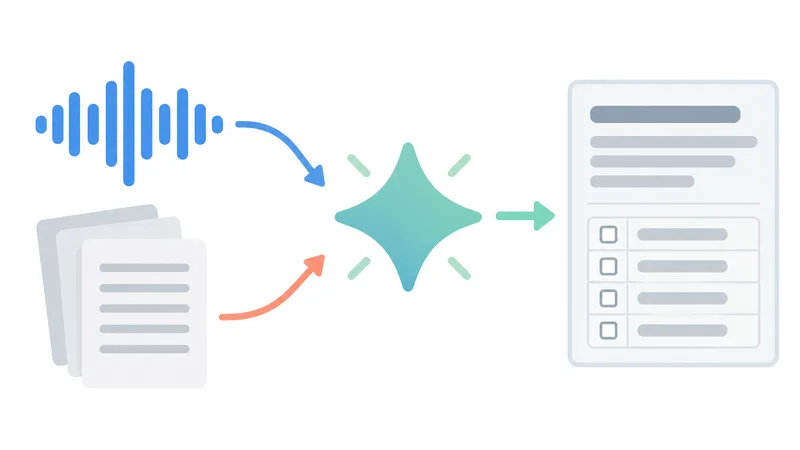
Gemini cannot record a Zoom meeting and has no app or bot that joins Zoom, but since August 2026 it can take notes for one. Google says that for a meeting "hosted on another provider like Zoom or Teams" you start Take notes from the Google Meet home screen (meet.google.com or the Meet mobile app), and Gemini writes a summary, action items and a transcript into a Google Doc in your Drive. Gemini listens through your phone or computer rather than through Zoom, so it only documents what that device hears; it needs a Google Workspace Business Standard or Plus, Enterprise Standard or Plus, Frontline Plus, Google AI Pro or Ultra plan, and nobody in the Zoom call gets a notice from Zoom or Google, so you have to tell them.
Table of contents
- Does Gemini work with Zoom?
- How to use Gemini to take notes in a Zoom meeting
- Audio tip: Gemini hears your microphone, not Zoom
- Which plans include Gemini notes for Zoom calls?
- What are the limits of Gemini notes for Zoom?
- What do Zoom participants see when Gemini takes notes?
- Is there a Gemini app or integration for Zoom?
- Can Gemini transcribe a Zoom meeting after it ends?
- Upload a Zoom transcript to Gemini
- Upload a Zoom recording's audio instead
- Is it safe to give Zoom meetings to Gemini?
- Gemini or Zoom's own AI summary?
- A bot-free alternative that hears the Zoom audio directly
- FAQ
- Can I use Gemini to record meetings?
- Is Gemini's note taker free?
- Does Gemini need the Zoom web client or a Zoom setting?
- How do I record a Zoom meeting for free?
Gemini does not save Zoom video or audio files. If you need a recording, Zoom's own recorder does that, and you can give the recording or the Zoom transcript to Gemini afterwards. The table below compares every route we could verify on Google's and Zoom's pages on October 4, 2026.
| Route | What Gemini sees | Setup effort | Cost / plan | Privacy notes |
|---|---|---|---|---|
| Google Meet "Take notes" session running next to your Zoom call | Live audio the device running Gemini hears (Google describes a device placed nearby) | Low: one button, no Zoom settings | Workspace Business Standard/Plus, Enterprise Standard/Plus, Frontline Plus, Google AI Pro/Ultra, AI Pro for Education | Doc saved in your Drive under your organization's Meet retention; Zoom shows no indicator, so tell participants |
| Zoom transcript file uploaded to the Gemini app | Text of the transcript (TXT or VTT) after the meeting | Medium: turn on a Zoom transcript, download, upload, prompt | Zoom transcripts need Pro or higher; Gemini app upload works on free accounts | Personal Gemini: some chats are reviewed by humans; work account: not reviewed or used for training without permission |
| Zoom recording (.m4a audio) uploaded to the Gemini app | The audio file after the meeting | Medium | Gemini app: 10 minutes of audio on the standard limit, up to 3 hours with Google AI Pro or Ultra | Same as above; the file contains every voice in the call |
| Automation (Zapier, n8n and similar) from Zoom to the Gemini API | Cloud recording or transcript fetched after the meeting | High: accounts, API key, workflow | Paid Zoom plan with cloud recording, automation plan, Gemini API usage | Meeting data passes through the automation service as well as Google |
| Move the meeting to Google Meet | The Meet call itself (Take notes for me in the call) | Low if the team can switch | Eligible Workspace edition or Google AI plan | Meet shows every participant a notes icon |
Does Gemini work with Zoom?
Gemini works alongside Zoom, not inside it. In its Google Cloud Next announcement of April 23, 2026, Google said it was expanding Take notes for me "for any meeting", whether in person or on Zoom or Teams, by tapping the button on the Google Meet home screen. The feature shipped on August 13, 2026 in the Google Workspace Updates post under the name "Take Notes for me for in-person meetings".
That detail matters. Google's help article for the feature describes it for in-person meetings and tells you to "set your device nearby"; it does not mention Zoom at all. In practice, the Gemini notes session is a separate Google Meet session that listens through your device. Gemini never connects to Zoom, so it cannot see the Zoom participant list, chat, shared screen or recording, and it does not need the Zoom web client or any Zoom setting.
Some vendor articles say Gemini's Take notes for me simply "works on Zoom". Google's own pages support a narrower statement: you can run a Gemini note-taking session during a Zoom call, and Gemini documents what your device hears.

How to use Gemini to take notes in a Zoom meeting
To use Gemini for Zoom notes, start a Take notes session in Google Meet a moment before or right after you join the Zoom call. The steps below follow Google's help article; the Zoom-specific tips are our own advice, because Google does not document the Zoom case step by step.
- Tell the other participants that you will use an AI note taker, and wait for agreement where your organization or local law requires it.
- On a computer, open meet.google.com. On a phone or tablet, open the Google Meet app.
- Select Take notes (at the top on a computer, at the bottom in the app), then Start taking notes.
- Join the Zoom meeting as usual and keep the Zoom audio audible to the device running Gemini (see the audio tip below).
- Use Pause for off-the-record parts; Pause stops both the transcript and the notes. Select Continue to resume.
- When the Zoom call ends, select Stop, then Stop taking notes.
- Open the email from Google or the Google Doc in your Drive. It contains a structured summary, action items and the complete transcript.
Audio tip: Gemini hears your microphone, not Zoom
Gemini's notes session captures audio through the device it runs on. Google's help pages do not say whether the computer version can capture sound that Zoom plays through headphones, so plan for the safe case: Gemini hears only what reaches a microphone. Two setups match Google's "set your device nearby" instruction. You can run Zoom on your laptop with the speakers on and start the Gemini session on your phone placed next to the laptop. Or, in a meeting room, you can run the session on one device near the room's speaker. If you wear headphones, Gemini will likely capture your voice and miss everyone else, so run a short test call first.
Which plans include Gemini notes for Zoom calls?
Gemini notes for non-Meet meetings are available on Google Workspace Business Standard and Business Plus, Enterprise Standard and Enterprise Plus, Frontline Plus, the Google AI Pro for Education add-on, and the personal Google AI Pro and Google AI Ultra plans, according to the August 13, 2026 launch post. A free Gmail account and Workspace Business Starter are not on that list. Rollout was gradual: Android from August 11, 2026, the web from August 14 and iPhone and iPad from August 31, each with an extended rollout of possibly more than 15 days, so the button may still be missing on some accounts.
On a work or school account, an admin controls the feature through the existing Google Meet notes settings, and the person who starts the session needs "Take notes for me" turned on and Smart features enabled. If the Take notes button is missing, our guide to Google Meet Take notes for me walks through the admin setting and plan checks.
What are the limits of Gemini notes for Zoom?
Gemini's notes for Zoom calls have the same language limits as Take notes for me in Google Meet, plus the limits of listening through a microphone.

Summarize your meetings & videos automatically with NoteMeeting
Google Meet, Zoom, YouTube, Podcast — all in one extension.
- Languages: English, French, German, Italian, Japanese, Korean, Portuguese and Spanish, per Google's Take notes for me help. Only one language per meeting; mixed-language meetings are not supported.
- Length: Google recommends 15 minutes or more. Shorter sessions, connection problems or content that breaks the Meet Acceptable Use Policy can leave notes incomplete, inaccurate or missing.
- No Zoom context: Gemini gets no Zoom display names, chat, polls or shared slides, because it is not in the Zoom call. Google does not document speaker labels for this kind of session, so check who said what before you send the notes.
- No recording: the output is a Google Doc. There is no video or audio file to share afterwards.
- Storage: the Doc goes to the Drive of the person who started the session and follows the Meet retention policy your organization set. Other Zoom participants do not receive it unless you share it.
What do Zoom participants see when Gemini takes notes?
Zoom participants see nothing. In a Google Meet call, Meet tells everyone that notes are being taken and shows a pencil icon on every screen. In a Zoom call, the Gemini session runs on your device outside Zoom, so Zoom has no way to show a participant, a recording indicator or the Zoom AI icon change that appears when Zoom's own AI meeting summary is running. Google's in-person help page does not describe any notice to other people either.
The responsibility to inform people therefore sits with you. Say it at the start of the call, put it in the meeting invite, or write it in the Zoom chat, and stop the session if someone objects. Recording and transcription consent rules differ by country and by U.S. state, and many companies have their own AI policies, so check before you use Gemini in client, HR or legal calls.
Is there a Gemini app or integration for Zoom?
We found no Google-made Gemini app or bot for Zoom Meetings on October 4, 2026, and none of Google's help pages for Gemini note-taking mention Zoom. What exists falls into three groups.
- Automation platforms. Zapier's Zoom and Google AI Studio (Gemini) integration can start on Zoom events such as "New Cloud Recording" or "New Audio Transcript" and send the file to a Gemini action. n8n and similar tools offer templates that download a Zoom cloud recording, transcribe it and ask Gemini for a summary. All of them work after the meeting, need a paid Zoom plan with cloud recording, and need a Gemini API key.
- Developer tools. Zoom's developer blog shows how to run the Gemini Live API next to the Zoom Video SDK. That is for building your own video app, not for adding Gemini to regular Zoom meetings.
- The reverse direction. Zoom AI can join Microsoft Teams and Google Meet meetings as a participant to transcribe and summarize them, on Zoom Pro and higher, when an admin turns on "Allow Zoom AI to join third-party meetings" (Zoom KB0080357). There is no Google equivalent that joins Zoom.
Can Gemini transcribe a Zoom meeting after it ends?
Yes, Gemini can summarize a Zoom meeting after it ends if you give it the transcript or the audio file. This route works with any Google account, but it needs something from Zoom first, and the free Zoom Basic plan has no cloud recording.
Upload a Zoom transcript to Gemini
A Zoom transcript is the most reliable input, because it keeps speaker names. Zoom's Meeting transcript and cloud-recording audio transcript both require Pro or higher, and the Meeting transcript is off by default; our guide to getting a Zoom transcript as TXT or VTT covers the settings and downloads. Then:
- Go to gemini.google.com, select Add files and upload the TXT or VTT file (up to 10 files per prompt, 100 MB per file, per Gemini's upload help).
- Ask for a specific format, for example: "Summarize this Zoom transcript in 5 bullets, list decisions, and make a table of action items with owner and due date. Mark any action without an owner as UNASSIGNED."
- Check names, numbers and decisions against the transcript before you share the result.
If you minute the same kind of meeting every week, save the instructions as a Gem in the Gemini app so you don't paste them each time. Our guide to writing meeting minutes explains what formal minutes need beyond an AI summary.
Upload a Zoom recording's audio instead
Without a transcript, upload the audio. A Zoom recording saved to your computer includes an .m4a audio file next to the video (see how to record a Zoom meeting), and local recording is available to hosts on the free plan. The Gemini app's standard limit is 10 minutes of audio per upload; Google AI Pro and Ultra raise it to 3 hours, which is what a real meeting needs.
Is it safe to give Zoom meetings to Gemini?
The answer depends on which Google account you use. On a personal account, the Gemini Apps Privacy Hub says a subset of chats is reviewed by human reviewers, activity can be used to improve Google services including model training, and you should not enter confidential information you would not want a reviewer to see. On a Google Workspace work or school account, the Generative AI in Google Workspace Privacy Hub says chats and uploaded files are not reviewed by humans or used to train models without permission.
For a Zoom call with clients, candidates or patients, use a work account, ask for consent, and check whether your company allows meeting content in AI tools. Automation routes add a third company (the automation service) that also handles the recording.
Gemini or Zoom's own AI summary?
If everyone meets on Zoom and the host has a paid plan, Zoom's built-in meeting summary is usually the simpler choice. It runs inside the call, the host or co-host starts it, participants see the Zoom AI icon change, and the summary goes out by email and Zoom Chat. Zoom's support article lists Pro and higher, and Zoom's pricing page also lists 3 hosted meetings a month on the free Basic plan.
Gemini makes more sense when your notes need to live in Google Docs and Drive, when you are a participant without host rights in someone else's Zoom, or when you already pay for Google AI Pro or an eligible Workspace edition. The trade-off is audio quality and the missing Zoom context described above. If your team can move a meeting to Google Meet, Take notes for me in the Meet call itself is the most complete Gemini option, because it hears every participant directly.
A bot-free alternative that hears the Zoom audio directly
If Gemini cannot hear the call through your headphones, or your Google account is not eligible, a tool that captures the meeting audio on your own computer avoids both problems. NoteMeeting is not Gemini and not a Google product: its Chrome extension transcribes Zoom meetings you join in the browser (plus Google Meet and Teams on the web), and the NoteMeeting Desktop App, from the Pro plan up, works with the installed Zoom app by capturing system audio. No bot joins the meeting, and you get a transcript and an AI recap right after the call. Limits: the free trial is 1 hour of audio for transcripts and summaries, NoteMeeting does not record video, NoteMeeting does not store the meeting audio on its servers and you download the transcript and recap yourself, and you still need to tell participants. Plans are on the NoteMeeting pricing page.
FAQ
Can I use Gemini to record meetings?
Gemini does not create video or audio recordings. In Google Meet, recording is a separate Meet feature, and Gemini's Take notes for me produces a Google Doc with a summary, action items and transcript. For a Zoom meeting, use Zoom's recorder and give the file or transcript to Gemini afterwards.
Is Gemini's note taker free?
No. Gemini note-taking in Google Meet and for in-person or Zoom calls needs an eligible Workspace edition (Business Standard or higher, Enterprise Standard or Plus, Frontline Plus) or a paid Google AI Pro or Ultra plan. A free Google account can still upload a Zoom transcript to the Gemini app and ask for a summary, within the standard upload limits.
Does Gemini need the Zoom web client or a Zoom setting?
No. Gemini's notes session runs in Google Meet on your device and never connects to Zoom, and Google documents no Zoom requirement, so you can use the Zoom desktop app, web client or mobile app. What matters is that the device running Gemini can hear the meeting audio.
How do I record a Zoom meeting for free?
On the free Zoom Basic plan, the host can record in the Zoom desktop app with Record > Record on this Computer, which saves an .mp4 video file and an .m4a audio file (Zoom KB0076922); cloud recording needs a paid plan. A participant can record only if the host allows it. If an unwanted note taker shows up instead, see how to remove a notetaker from Zoom.