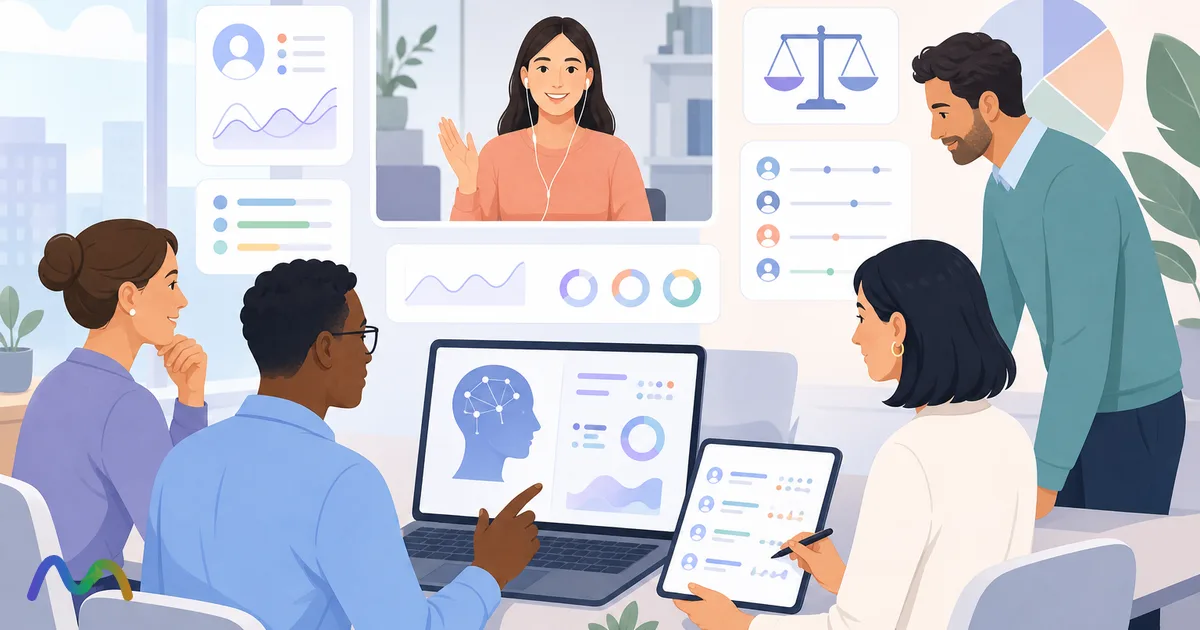
Most recruiters don't run out of questions in an interview. They run out of attention, because they are asking, listening and typing at the same time. Details get lost, follow-ups come too late, and every interview ends with another 15 to 30 minutes of cleaning up notes before anything reaches the hiring manager. An AI note taker for recruiters takes the typing off your plate: it records the conversation, produces a searchable transcript and drafts a structured recap you can review in a few minutes. This guide covers what these tools actually do, where they help and where they don't, how to compare the main options, and how to stay on the right side of candidate consent and data rules.
Table of contents
- Key takeaways
- What is an AI note taker for recruiters?
- How is it different from just recording the interview?
- Does AI replace the recruiter's judgment?
- How AI helps before, during and after an interview
- Before the interview: prepare what the AI can't
- During the interview: listen instead of typing
- After the interview: a recap you can actually use
- When to use an AI note taker, and when not to rely on it
- What AI still does worse than a person
- 5 criteria for choosing an AI note taker for recruiting
- Popular AI note takers for recruiters compared
- Criterion 1: accuracy on your interviews, not the vendor's demo
- Criterion 2: the recap must be usable, not just pretty
- Criterion 3: a bot-free experience is a real advantage
- Criterion 4: ask the security questions before you roll it out
- Criterion 5: can the team use it this week?
- How to use an AI note taker in a 3-step interview workflow
- Step 1: prepare what the AI can't understand for you
- Step 2: let AI take the notes while you run the conversation
- Step 3: finalize the recap immediately
- Candidate consent, data privacy and accuracy
- The goal is efficiency without a worse candidate experience
- Example: the output you should expect
- From 30 seconds of conversation to transcript to recap
- Short post-interview recap template
- Conclusion
- FAQ
- What is an AI note taker for interviews?
- Can AI replace recruiters in evaluating candidates?
- Is it legal to record a job interview with AI?
- Are AI note takers safe for candidate data?
- Which AI note takers integrate with an ATS?
- Should I use a bot or a bot-free note taker for interviews?
Key takeaways
An AI interview note taker turns the interview into three outputs: a recording, a transcript and a recap. The recap is what saves time; the transcript is what keeps the recap honest.
It supports evaluation but should never make the hiring decision. Fit, credibility and judgment stay with the interviewer.
Recruiting-specific tools (Metaview, BrightHire) map notes to scorecards and sync with your ATS. General note takers (Otter, Fireflies, Tactiq, NoteMeeting) are cheaper and more flexible but need a recap template.
Tell candidates before you record. Several US states require all-party consent, and GDPR applies to EU candidates.
What is an AI note taker for recruiters?
An AI note taker for recruiters is a tool that captures the audio of a job interview, converts it into a speaker-labeled transcript with speech-to-text, and then uses AI to summarize the conversation into notes a recruiter or hiring manager can review, compare and share. Some tools join the call as a visible bot; others run in the browser or on the desktop without adding a participant.
Most tools produce three layers of output:
Recording: the original audio (and sometimes video), useful as the source of truth.
Transcript: searchable, timestamped text of who said what. If your team interviews on Google Meet, see how to get a Google Meet transcript before adding another tool.
AI recap: a short summary of strengths, concerns and next steps for the debrief.
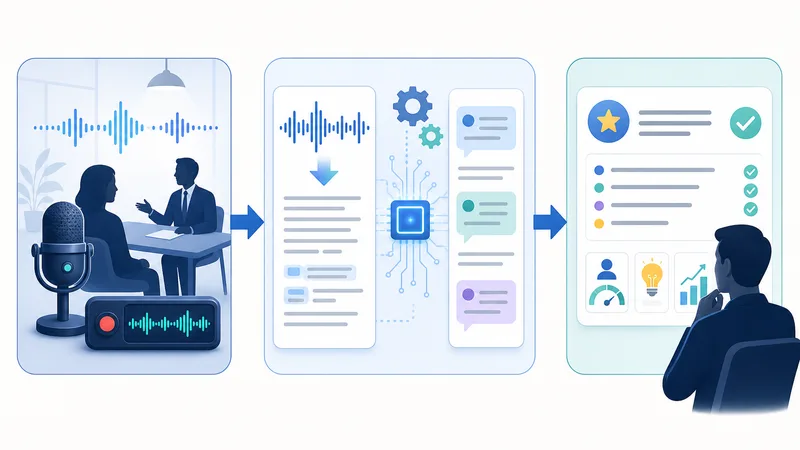
The point to be clear on: an AI note taker does not evaluate candidates for you. It records, organizes and shortens the admin. Reading context, probing deeper, comparing answers to the job requirements and making the call are still the interviewer's job.
How is it different from just recording the interview?
The difference is not whether the interview is saved, but whether the output is usable straight away.
| Format | Output | What it's good for |
|---|---|---|
| Recording only | Raw audio or video file | Re-listening, but slow to scrub and hard to search |
| Transcript | Speaker-labeled text | Keyword search, exact quotes, checking what was actually said |
| AI recap | Short structured summary | Debriefs, hiring manager updates, comparing candidates |
With a transcript and recap, nobody has to replay a 45-minute call to find one answer about notice period or salary expectations. That matters most when you are running many interviews per week. For the general concept outside hiring, see AI meeting notes explained.
Does AI replace the recruiter's judgment?
No. It helps you collect candidate information; it does not assess it. A fluent answer is not necessarily a convincing one. You still need to weigh it against:
the job description and must-have requirements
the competencies on your scorecard
clarity, consistency and how the candidate handles pushback
the real context of the team and role
This is also a compliance point: once a tool starts scoring or ranking candidates, it can fall under rules for automated hiring tools (more on that below).
How AI helps before, during and after an interview
The value shows up only when the tool fits into your interview workflow. The biggest wins are less manual typing, faster review and smoother handoffs to the hiring manager.
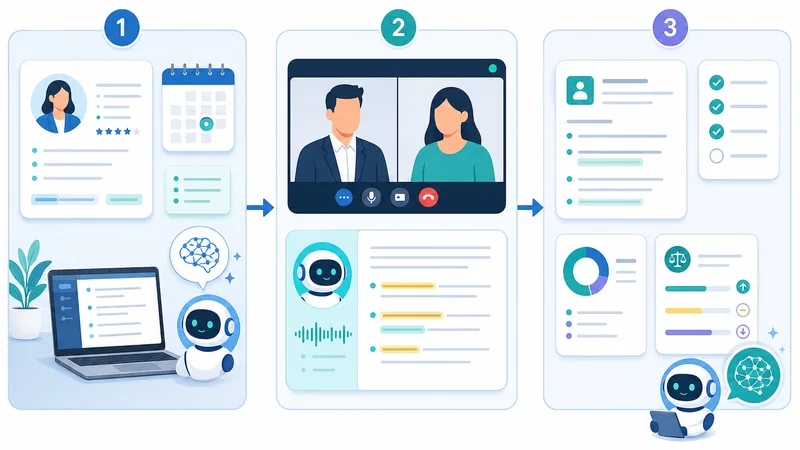
Before the interview: prepare what the AI can't
Once transcription is handled, preparation can focus on what actually drives a good interview:
the core question set and scorecard competencies
points to probe from the resume
risks you need to verify (gaps, job hopping, scope of past roles)
a short consent line telling the candidate the call will be recorded and transcribed
During the interview: listen instead of typing
This is where an AI interview note taker pays off most. Instead of looking down at the keyboard, you can watch how the candidate answers.
Better listening: you notice contradictions or shallow answers in the moment.
Faster follow-ups: you are not one sentence behind because you were still typing.
Lighter manual notes: jot down only impressions, red flags and questions for the next round.
Panel interviews: everyone works from the same transcript. Speaker labels get less reliable as more people talk over each other, so check who said what in the recap.
After the interview: a recap you can actually use
Instead of rewriting notes from memory, you start from a draft and spend a few minutes correcting names and terminology. A good output should let you:
summarize the candidate in a consistent structure
share quickly with the hiring manager
compare several candidates for the same role
keep interview records for later rounds
push notes into your ATS or a short hiring report
Example of a usable recap line set:
Strength: ran high-volume hiring and worked with demanding hiring managers.
To verify: unclear whether she built funnel reports herself or used a template.
Next step: probe how she handled offer declines in round 2.
When to use an AI note taker, and when not to rely on it
Not every interview needs one. It earns its place in remote, multi-round, multi-interviewer processes.
| Situation | Good fit because | Be careful about |
|---|---|---|
| High-volume remote interviews | Cuts note-taking and recap time on every call | Spot-check transcript quality |
| Several reviewers per candidate | Recaps are easy to share | Limit who can open full transcripts |
| Panel interviews (2-3 interviewers) | Many speakers, one shared record | Speaker mix-ups with larger panels or poor audio |
| Technical or specialist roles | Captures detailed answers verbatim | Check jargon, tool names and acronyms |
| Senior or sensitive hires | Accurate record of commitments | Candidate comfort and confidentiality; ask first |
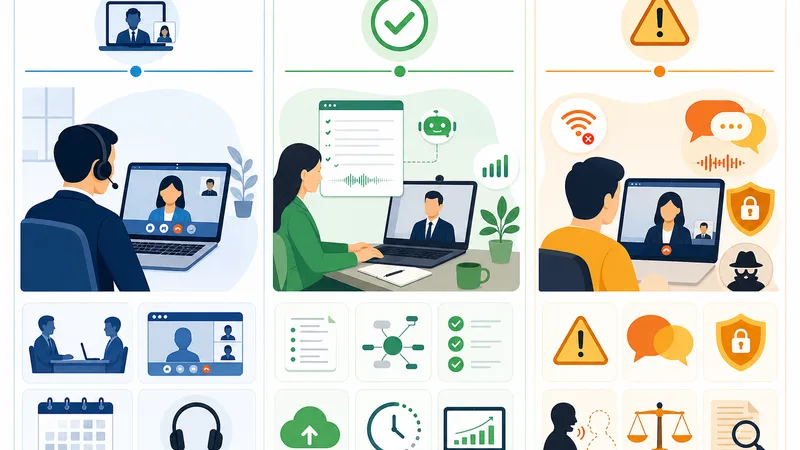
AI also misses things that matter in hiring: tone, hesitation before a hard question, how genuine an answer feels, team fit. It can mishear names, company names and technical terms, especially with poor audio. Use it to run the process, not to outsource the judgment.
What AI still does worse than a person
reading the context behind an answer
judging credibility and consistency
noticing body language, confidence and reactions
assessing team and culture fit
telling a polished answer from a convincing one
5 criteria for choosing an AI note taker for recruiting
Don't choose on interface or feature count. For a recruiting team the questions are: is the output usable immediately, is it safe, and does it fit how you already work?
Transcription accuracy on your real interviews (accents, names, jargon)
Recap quality: structured for hiring, not a generic meeting summary
Candidate experience: bot or no bot, how visible the tool is
Security and data controls: access, retention, deletion
Fit with your stack: ATS integration, video platforms, setup time

Popular AI note takers for recruiters compared
This is not a ranking. It is a reference so you know what to ask in a demo. Pricing changes often; figures below were checked on official pricing pages in October 2026.

Summarize your meetings & videos automatically with NoteMeeting
Google Meet, Zoom, YouTube, Podcast — all in one extension.
| Tool | Type | How it captures | Recruiting-specific recap / ATS | Pricing model |
|---|---|---|---|---|
| Metaview | Recruiting-specific | Joins interviews via calendar and video integrations | Yes: interview-stage notes, syncs with Greenhouse, Lever, Ashby and others | Free 25 calls/user/month (14-day history); Pro $60/user/month |
| BrightHire | Recruiting-specific (enterprise) | Interview recording platform | Yes: interview guides, scorecard support, ATS integrations | Custom quote |
| Otter | General meeting assistant | Bot joins Zoom, Meet, Teams; also mobile app | Generic summaries; templates needed | Free 300 min/month; Pro from $8.33/user/month billed annually |
| Fireflies.ai | General meeting assistant | Bot joins calls | Generic summaries; CRM and app integrations on paid tiers | Free tier plus per-seat plans |
| Tactiq | General, extension-based | Chrome extension for Meet, Zoom, Teams (no bot) | Custom AI prompts; no native ATS | Free 10 transcripts/month; Pro $8/user/month billed annually |
| NoteMeeting | General, extension-based | Chrome extension for Google Meet, Zoom web and Teams (no bot) | Transcript plus AI recap you can structure for interviews; .txt export | Free trial; paid plans from $6/month |
| Zoom / Teams / Meet built-in | Platform-native | Built into the meeting app | Generic summaries | Included in many paid plans |
The fastest way to shortlist: take one real 1-2 minute clip with names, company names and role jargon, run it through 3-5 tools, and score each on the same criteria.
Criterion 1: accuracy on your interviews, not the vendor's demo
Vendors quote accuracy on clean audio. Your interviews have accents, crosstalk, laptop mics and niche vocabulary. When you test, check:
candidate and company names
job titles and seniority terms
tools, certifications and acronyms in your industry
numbers: salaries, team sizes, dates
If you hire across languages, test non-native English speakers and mixed-language answers too. Our explainer on word error rate shows how to measure this without guesswork.
Criterion 2: the recap must be usable, not just pretty
A long transcript does not make anyone faster. What the team needs is a structured candidate summary. At minimum, the recap should include:
strengths relevant to the role
points still to verify
risk signals
next steps or follow-up questions
If the tool only produces a generic meeting summary, you will end up rewriting it. Recruiting-specific tools map notes to scorecard competencies; with general tools, set up a custom template or prompt.
Criterion 3: a bot-free experience is a real advantage
Candidate experience suffers quickly when an unfamiliar bot joins the call or the candidate has to approve extra software. A browser-based, no-bot tool helps because:
no separate app for the recruiter to install
no extra "participant" that makes the interview feel crowded
it works even when your company blocks third-party bots
Bot-free does not mean secret. You still need to tell the candidate the conversation is being recorded and transcribed.
Criterion 4: ask the security questions before you roll it out
Interview transcripts contain sensitive data: salary history, reasons for leaving, internal opinions about the candidate. Questions to put to every vendor:
Who can access transcripts and recaps, and can we restrict this by role (recruiter, hiring manager, HR lead)?
Where is data stored, and for how long by default?
Can we export and permanently delete a candidate's data on request?
Is our data used to train the vendor's AI models?
Do they hold a SOC 2 Type II report and offer a GDPR data processing agreement?
Criterion 5: can the team use it this week?
Recruiting teams work at high volume, so the tool should not need heavy onboarding or IT projects. Prioritize a simple interface, few steps per interview, support for the video platforms you actually use, and, if you live in your ATS, a native integration so notes don't have to be copied by hand.
How to use an AI note taker in a 3-step interview workflow
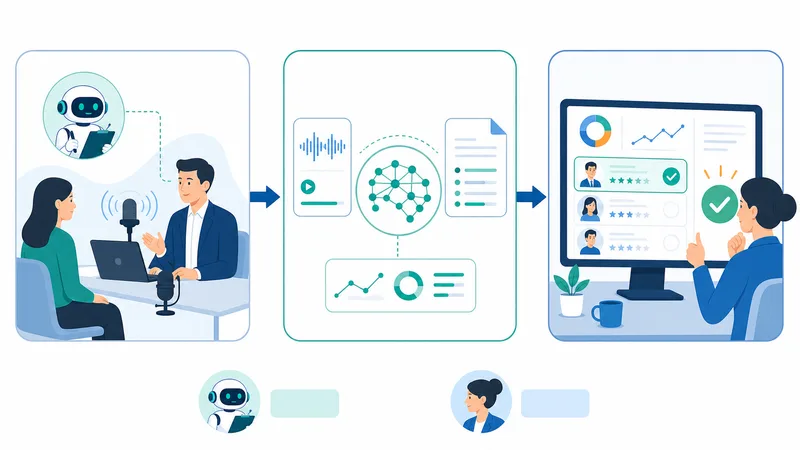
Effective interview note-taking is not about letting AI do everything. It's about splitting the work: AI handles transcription and the first draft of the summary, the recruiter handles the conversation, the context and the decision notes.
Prepare the evaluation framework before the interview.
Let the AI transcribe while you focus on probing.
Review the recap right after the interview, before it's saved.
Step 1: prepare what the AI can't understand for you
The AI doesn't know which requirements are must-haves, which risks deserve probing, or which answers should raise an eyebrow. Before the interview, have:
the job description and hiring goal
scorecard criteria and must-have competencies
probing questions and points to verify from the resume
agreement on recording, and a one-line notice for the candidate
This step shapes the quality of the output more than the tool itself.
Step 2: let AI take the notes while you run the conversation
Don't try to type every sentence; it slows your follow-ups and weakens your listening. Focus on the logic of the answers, consistency between the resume and what's said, where to dig deeper, and how the candidate reasons under pressure. Only write down your own impressions, risk signals and follow-ups for the next round.
Step 3: finalize the recap immediately
The value of automated interview notes appears only if you use them while the interview is fresh. Leave a transcript for a few days and you will no longer remember which name or number was misheard. Right after the call:
fix names and terminology
sort notes into three groups: fit, risks, follow-ups
send to the hiring manager or log it in your ATS
Always review the transcript and recap before they become the official record. AI can misattribute speakers, miss context or drop points on a noisy call. For a deeper manual process, see our guide on how to transcribe an interview.
Candidate consent, data privacy and accuracy
Using AI in interviews is not only a time-saving decision. It touches candidate experience, personal data and how much you can trust internal records. This is general information, not legal advice; check with counsel for your jurisdictions.
Recording consent (US): federal law and most states require only one party's consent, but California, Florida, Illinois, Maryland, Massachusetts, Montana, New Hampshire, Pennsylvania and Washington require all parties to agree, and a few others are mixed. Remote interviews often cross state lines, so the safe default is to tell every candidate and get a clear yes.
GDPR (EU/UK candidates): you need a lawful basis, a clear privacy notice, a retention limit and a way to honor access and deletion requests. Sign a data processing agreement with the vendor.
Automated hiring decision rules: if a tool scores, ranks or filters candidates, stricter rules can apply. New York City's Local Law 144 requires a bias audit and candidate notice for automated employment decision tools, and the EU AI Act classifies AI used to evaluate candidates as high-risk. Illinois' AI Video Interview Act adds notice and consent rules when AI analyzes recorded video interviews. A tool that only transcribes is in a different position from one that scores.
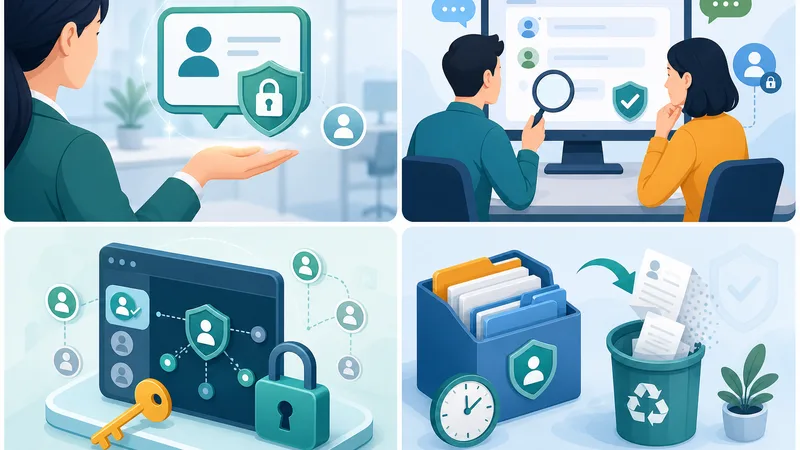
Good practice checklist:
tell candidates in advance that the interview will be recorded and transcribed for internal review, and repeat it at the start of the call
limit transcript access to the recruiter, the relevant hiring manager and the HR approver
set a written retention period for interview data and delete on schedule
be able to export or delete a candidate's data on request
review transcripts before they are used for evaluation
And three limits to keep in mind:
No AI transcript is 100% accurate; quality drops with noise, crosstalk and accents.
Names, jargon and context are the usual error zones.
An unreviewed transcript should not be treated as a perfect record.
The goal is efficiency without a worse candidate experience
The tool should make the interview smoother, not make the candidate uneasy. Keep the setup light, be transparent, and avoid anything that feels like surveillance. A simple, natural experience beats a tool-heavy process every time.
Example: the output you should expect
A good result is not a ten-page transcript. What recruiters need is a structured interview summary they can use in a debrief. If the tool only records words and doesn't help you land on conclusions, you still have work to do. With a tool like NoteMeeting, a reasonable expectation is a transcript plus a short recap with action items for follow-up.
From 30 seconds of conversation to transcript to recap
Here's a hypothetical 30-second exchange from an interview for a Talent Acquisition role.
What was said (Recruiter R, Candidate A):
R: "Where have you run high-volume hiring before?"
A: "I spent three years at a retail chain hiring sales associates and warehouse staff for 12 stores in the Southeast, roughly 40 to 60 hires a month. I worked directly with store managers to lock headcount every week."
AI transcript (trimmed):
Recruiter: Where have you run high-volume hiring before?
Candidate: I spent three years at a retail chain hiring sales associates and warehouse staff for 12 stores in the Southeast, roughly 40 to 60 hires a month. I worked directly with store managers to lock headcount every week.
Matching recap entry:
Experience: 3 years of high-volume retail hiring (12 stores, 40-60 hires/month).
Stakeholders: worked directly with store managers on a weekly cadence.
Probe next: biggest challenge hiring sales staff; 90-day retention of hires.
Short post-interview recap template
Candidate: Alex Morgan
Role: Talent Acquisition Specialist1. Relevant experience
3 years of high-volume retail hiring, worked directly with 12 store managers.2. Strengths
Clear communicator, understands the hiring funnel, experience managing offer acceptance.3. To verify
Not yet clear whether she can build weekly and monthly recruiting reports on her own.4. Initial fit
Good fit for current needs; needs a round with the hiring manager.5. Next steps
Follow up on handling urgent hiring targets and stakeholder management.
Treat this as supporting material for evaluation, not a final hiring conclusion. For more ways to turn a call into a short write-up, see how to summarize a meeting.
Conclusion
An AI note taker for recruiters is most useful as a note-taking and recap assistant: less typing, faster reviews and cleaner handoffs to hiring managers. The value is not in "having AI" but in whether the output is easy to check, easy to use and actually saves time.
The recruiter still owns the questions, the context and the decision. When you choose a tool, weigh security, candidate experience and accuracy on your real interviews as heavily as features. If your team interviews mostly on Google Meet, Zoom or Teams in the browser, you can try the NoteMeeting Chrome extension without adding a bot to the call, or compare plans on the pricing page. For a wider comparison of general tools, see the best AI meeting note takers and our guide to meeting transcripts.
FAQ
What is an AI note taker for interviews?
It is a tool that records a job interview, transcribes it into speaker-labeled text and generates a summary for the hiring team. It reduces manual note-taking so the interviewer can focus on the candidate, while keeping a searchable record for debriefs.
Can AI replace recruiters in evaluating candidates?
No. AI captures and organizes what was said. Assessing skills, motivation, credibility and fit, and making the hiring decision, remain human responsibilities. Tools that start scoring candidates also bring extra legal obligations in places like New York City and the EU.
Is it legal to record a job interview with AI?
Generally yes, with proper notice and consent. In US all-party consent states such as California, Florida, Illinois, Pennsylvania and Washington, everyone on the call must agree to the recording. For EU candidates, GDPR requires a lawful basis, a privacy notice and retention limits. The simplest rule: tell the candidate in advance and confirm at the start of the call.
Are AI note takers safe for candidate data?
Only if you pick a vendor with clear controls. Look for role-based access, configurable retention and deletion, no training on your data without permission, a SOC 2 Type II report and a GDPR data processing agreement. Avoid pasting transcripts into public AI tools.
Which AI note takers integrate with an ATS?
Recruiting-specific tools such as Metaview and BrightHire offer native integrations with ATS platforms like Greenhouse, Lever and Ashby. General note takers usually rely on exports, Zapier or CRM integrations, so notes may need to be copied into the candidate profile.
Should I use a bot or a bot-free note taker for interviews?
Bot-free tools (browser extensions or desktop apps) keep the call looking like a normal two-person interview and work where company policy blocks meeting bots. Bot-based tools are easier to deploy across a whole team via calendar integration. Either way, candidates must be told they are being recorded.