
To transcribe an interview properly, decide what the transcript is for, pick a transcription style (verbatim, clean verbatim, or edited), set your speaker-label and timestamp rules, create a draft by hand or with AI, then check that draft against the audio before you share it. Software can speed up the typing. It can't make those decisions for you.
Table of contents
- Key takeaways
- How to transcribe an interview in 8 steps
- How long does it take to transcribe an interview?
- What does "transcribing correctly" actually mean?
- Fidelity, readability, and traceability are different goals
- What a trustworthy transcript includes
- Step 1: Define the purpose, permissions, and finish line
- Know who will use the transcript and what must survive
- Confirm you're allowed to process the recording
- Separate workflow status from transcript style
- Fill in a transcription brief
- Step 2: Choose verbatim, clean verbatim, or edited transcription
- Verbatim: keep the speech features you need to analyze
- Clean verbatim: remove clutter, keep meaning
- Edited: a written version, not the original speech
- The same answer in all three styles
- Step 3: Prepare the files and write a style sheet
- Check the recording and name files consistently
- Set speaker label and timestamp rules
- Define tags for sounds and uncertainty
- Finish the style sheet
- Step 4: Choose manual, AI, or hybrid
- Assess the recording and the processing environment
- What each method really gives you
- Choose by conditions, not habit
- Step 5: Create a controlled first draft
- Transcribe in chunks and stay linked to the audio
- With AI, check structure before polishing sentences
- What the first pass should deliver
- Step 6: Check the transcript against the audio
- Choose a QA scope and write it down
- Check structure, speakers, and critical content
- Handle unclear audio without filling gaps by guesswork
- Check the editing level and consistency
- Step 7: Review privacy and create a shareable version
- Look for direct and indirect identifiers
- Redaction, pseudonymization, and anonymization are different
- Build the sharing copy and test for leaks
- Step 8: Finalize the version and hand it off
- Record status, version, and who accepted it
- Pick a format and include the context
- Final check before sending
- Worked example: one error that shows why you listen back
- Start with a test run, not a tool choice
- FAQ
- How long does it take to transcribe a 1-hour interview?
- What's the difference between verbatim and clean verbatim?
- How do I handle negations and hedges in a clean transcript?
- When is a passage ready to quote?
- Should I keep every version of the transcript?
- Is it safe to use AI to transcribe interviews?
That last point matters more than most guides admit. A transcript can read smoothly and still attribute a quote to the wrong person, drop a "not," turn a hedge into a fact, or expose who a participant is. This guide walks through the full process, from prep to handoff, for manual, AI, and hybrid workflows, with templates you can copy.
Key takeaways
Typing a transcript by hand takes roughly 4 hours per hour of audio for most people; clear audio and AI drafts cut that, but checking against the audio still takes real time.
Verbatim, clean verbatim, and edited transcripts are different treatments of speech, not quality levels. Choose by purpose.
Cleaning up speech must never change meaning, certainty, negations, or corrections that matter.
AI output is a draft until someone has listened back and recorded what was checked.
Removing names is not the same as anonymizing. Check indirect identifiers before you share.
How to transcribe an interview in 8 steps
Define the purpose, the permissions, and what "done" means.
Choose verbatim, clean verbatim, or edited transcription.
Prepare the files and write a short style sheet.
Choose manual, AI, or hybrid transcription.
Create a draft with consistent speaker labels and timestamps.
Listen back and check names, numbers, and negations.
Review identifying details and create a shareable version.
Lock the version, record what was checked, and hand it off.
If you plan to use AI for the first draft, see our guide to AI interview transcription. To understand where speech recognition tends to fail, read what speech-to-text is and how it works.
How long does it take to transcribe an interview?
Most transcription providers put manual transcription at about 4 hours of work per hour of audio, and 4 to 6 hours is a common range once you count difficult passages. Your real number depends on typing speed, audio quality, number of speakers, accents, jargon, and how strict your style is. Full verbatim with pauses and overlaps takes longer than clean verbatim.
| Method | Typical effort for 1 hour of audio | Typical cost (as of 2026) | Main risk |
|---|---|---|---|
| Manual (you type it) | About 4 to 6 hours | Your time | Fatigue errors, inconsistent style |
| AI only | Minutes to generate | Free tiers to low monthly plans | Fluent but wrong text, speaker mix-ups |
| Hybrid (AI draft + human review) | Roughly 1 to 2 hours of review on clear audio; more on hard audio | AI plan + your time | Trusting the draft too much |
| Human service | Turnaround in hours to days | Around $1.99 per audio minute at Rev for human transcription | Cost; data leaves your control |
The hybrid figure is an estimate, not a guarantee. A draft with systematic errors (wrong speakers throughout, missing chunks) can take longer to fix than typing from scratch.
What does "transcribing correctly" actually mean?
Fidelity, readability, and traceability are different goals
There is no single correct transcript format. Judge quality on three properties:
Fidelity: it keeps the content, and the features of speech your purpose needs.
Readability: the reader can follow it, scan it, and find what they need.
Traceability: it shows who said what, where it sits in the audio, which version this is, and what is still uncertain.
These trade off against each other. Keeping every filler word helps conversation analysis but makes a content-focused transcript harder to read. A timestamp lets you find a statement again; it does not prove the statement was transcribed correctly.
Take this hypothetical answer:
"Um, I thought the program started in May—sorry, I mean June—but I'm not completely sure."
The speaker believed May, corrected to June, and is still unsure. Write it down as "The program started in June" and you have turned a hedged recollection into a statement of fact.
Cleaning up speech must not change the content, the level of certainty, or meaningful self-corrections.
What a trustworthy transcript includes
Treat these as your output criteria before you start:
A stated purpose and transcription style.
Consistent speaker labels.
Enough timestamps to get back to the audio.
Unclear passages marked, not guessed.
Rules for keeping or removing speech features, applied consistently.
A note of how much was checked against the audio.
A version status and clear usage rights.
Scribbr's interview transcription guide follows a similar path from method to speaker labels, timestamps, and proofreading. The Smithsonian's audio transcription instructions stress starting a new label at each speaker change, checking homophones, and handling crosstalk consistently. Both are practical references, not legal or industry standards.
Step 1: Define the purpose, permissions, and finish line
Know who will use the transcript and what must survive
A transcript for thematic analysis can look very different from one used to study hesitation, turn-taking, or self-correction. Before you press play, answer:
Who will use it? A research team, an editor, a journalist, HR, an archivist?
What will they do with it? Code themes, pull quotes, publish, archive, support a decision?
Is the way people speak part of the data? Do pauses, fillers, laughter, false starts, or overlaps need to stay?
Will people need to jump back to the audio often?
Which errors are costly? Wrong speaker, a number, a missing "not," a condition, a level of certainty?
Don't choose a style from the job label alone. A podcast doesn't automatically need clean verbatim, and a document labeled "verbatim" doesn't automatically meet a legal requirement. The purpose and the applicable rules decide.
Confirm you're allowed to process the recording
Check the basis for recording and processing under your agreements, policies, and the law that applies. In the US, recording consent rules differ by state (roughly a dozen states, including California, Florida, Illinois, Pennsylvania, and Washington, generally require every party's consent). In research, your IRB protocol usually spells out who may transcribe and where data may go. Under GDPR, consent is one possible lawful basis, not the only one.
Clarify:
May the recording be transcribed, sent to a third party, or processed with AI?
May it be quoted publicly, or only used internally?
Who can hear the audio, edit the transcript, approve it, and receive the final?
Where are files stored and how are they transferred?
How long are the recording, drafts, and final kept, and how are they deleted?
Permission to record is not permission to publish the transcript or upload the file to any AI service. If you're unsure whether an outside tool is allowed, don't upload yet. Settle this now, not when you're about to share.
Separate workflow status from transcript style
Status tells you how far a file has moved through your process. It says nothing about how much of the speech it keeps.
| Label | Meaning in this guide | Does not imply |
|---|---|---|
Draft | Not yet checked to the required standard | That it was produced by AI |
Reviewed | Checked against the audio within a stated scope | That the whole file was re-heard |
Final | Accepted for the stated purpose and scope | That it is perfect or can't be corrected |
Quote-ready | A specific passage verified directly against the audio | Permission to publish it |
Draft → Reviewed → Final is a way to manage status; a reviewed file can still be reopened. Quote-ready applies to individual passages, not a fourth stage after Final.
Fill in a transcription brief
Copy this template and fill it in before you start:
Project / Interview ID:
Purpose:
End user:
Language(s) in the recording:
Is speaking style part of the data? (Y/N)
Transcript style: Verbatim / Clean verbatim / Edited
Speaker label and timestamp rules:
Non-speech sounds to keep:
How unclear passages are marked:
Details to restrict or replace:
Permissions / outside tools allowed:
Method: Manual / AI / Hybrid
Transcriber and QA scope:
Who accepts the final:
Definition of done:
Delivery format:
Who has access:
Storage location and retention / deletion rules:
Write "to confirm" for anything unknown. You'll lock the style, timestamps, and method in the next steps.
To keep the guide concrete, we'll use one hypothetical scenario throughout: a two-person research interview, Interviewer and Participant 01. The team needs themes and quotes, not speech-style analysis. The audio is fairly clear, with one stretch of crosstalk, an organization name, and details that could identify the participant. An approved AI tool is allowed for this data, and the team needs two outputs: a restricted full transcript and a de-identified sharing copy.
Step 2: Choose verbatim, clean verbatim, or edited transcription
These are ways of treating speech, not quality tiers. Providers name them differently (clean verbatim is also called intelligent or non-verbatim), so your written rules matter more than the label.
Verbatim: keep the speech features you need to analyze
Verbatim transcription stays close to the spoken words and usually keeps fillers, repetitions, false starts, and self-corrections. Pauses, laughter, and overlaps are recorded if your purpose and style sheet call for them.
Use it when how something was said is part of the data, such as conversation analysis or some legal and linguistic work. It's harder to read and slower to check.
"Verbatim" doesn't define a notation system, and it doesn't mean logging every background noise. A door closing may be irrelevant to a thematic study but worth noting if it interrupts an answer and changes how it reads.
Clean verbatim: remove clutter, keep meaning
Clean verbatim removes speech features that carry no meaning, like "um," "uh," and stumbles. The goal is readability, not a summary.
A clean transcript must still keep:
Negations: "not," "never," "didn't," "no."
Certainty markers: "maybe," "I think," "I'm not sure."
Conditions: "if," "unless," "only when."
Self-corrections that change a fact.
Tone that matters for the purpose.
Clean verbatim suits content analysis, internal records, and many podcast transcripts. It doesn't license you to tidy up a direct quote; anything you plan to quote still needs to be re-heard and handled under your quoting rules.
Edited: a written version, not the original speech
Edited transcription fixes structure and grammar and cuts more aggressively for reading or publication.
If you go this route, say how heavily it was edited and keep the checked source version. Never present a rewritten sentence as a verbatim quote. Turning a participant's words into third-person narrative is paraphrase, not a transcript format.
The same answer in all three styles
| Style | Output | Kept or changed | Use when |
|---|---|---|---|
| Verbatim | "Um, I thought the program started in May—sorry, I mean June—but I'm not completely sure." | Keeps filler, the May-to-June correction, and the uncertainty | The flow of speech is data |
| Clean verbatim | "I thought the program started in May—sorry, June—but I'm not completely sure." | Drops filler; keeps the correction and uncertainty | You need readability but close fidelity |
| Edited | "I thought the program started in June, but I'm not completely sure." | Drops the correction; keeps the uncertainty | A readable version where the correction isn't analyzed |
All three keep the speaker's uncertainty. The edited version loses the fact that they first said May. If that correction is relevant, the edited version is the wrong choice.
In our scenario, clean verbatim fits: the team needs content and quotes, not fillers. That only works if the cleanup rules are written down.
Step 3: Prepare the files and write a style sheet
Check the recording and name files consistently
Confirm the interview ID, language, number of files, and order. Play the start and end of each file and make sure nothing is missing.
Keep the original audio untouched in an approved location. If you denoise or adjust it, save a separate processed copy and note which file it came from. This matters most when you trim leading silence or merge files, because timestamps may stop matching the original.
A naming pattern you can use:
Project_InterviewID_YYYY-MM-DD_Status_v01ResearchStudy_P01_2026-01-21_AudioOriginal_v01.wav ResearchStudy_P01_2026-01-21_AIraw_v01.txt ResearchStudy_P01_2026-01-21_Draft_v01.docx ResearchStudy_P01_2026-01-21_Reviewed_v02.docx ResearchStudy_P01_2026-01-21_Final_Sharing_v03.docx
Use participant codes instead of real names where identity should be restricted. You don't have to keep every version forever; follow your retention policy.
Set speaker label and timestamp rules
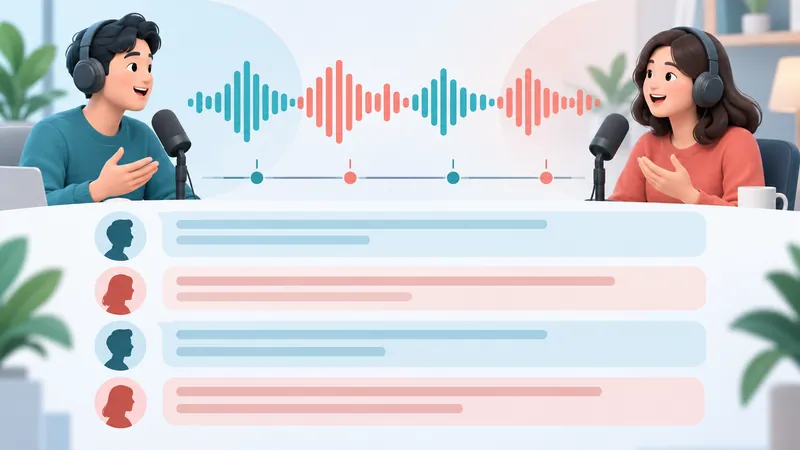
A speaker label is a name, role, or code. Start a new paragraph at every speaker change. In our example, use Interviewer and Participant 01 consistently (short forms like INT: and P01: work too).
Speaker diarization is the automatic splitting of audio by speaker. It is not identity verification. A tool that outputs "Speaker 1" and "Speaker 2" hasn't proven which real person each label belongs to.
If you can't tell who is speaking, use a holding tag like [speaker unclear 12:08] rather than assigning the line to whoever seems likely.
A timestamp marks time from the start of the reference file. Common placements:
At regular intervals.
At each speaker or topic change.
At hard-to-hear passages.
Before any passage you may quote.
Every 30 to 60 seconds is a reasonable starting point for general use, not a rule. Pick mm:ss or hh:mm:ss to suit the file length and stick with it.
Define tags for sounds and uncertainty
This is one workable tag set; explain whichever you use in the handoff notes.

Summarize your meetings & videos automatically with NoteMeeting
Google Meet, Zoom, YouTube, Podcast — all in one extension.
| Tag | Use when | Note |
|---|---|---|
[inaudible 03:14] | Speech can't be made out | Keep the time; don't fill with a guess |
[crosstalk 12:08] | Overlap makes part of the content unrecoverable | Keep what you can hear; don't drop the whole turn for a few lost words |
[unclear term 07:42] | Words are audible but the term is uncertain | Add to the check list |
[speaker unclear 12:08] | Speaker can't be identified | Don't assign based on content |
[laughs] | Laughter matters for context | Don't infer emotion or intent |
[pause 2s] | A pause worth recording, measured | Use [pause] if you didn't measure it |
Inaudible speech, an uncertain term, and an unknown speaker are three different problems. A single "?" for all of them leaves the reviewer guessing what to fix.
Finish the style sheet
A style sheet here is your set of transcription rules, not a font guide. It says what is kept, removed, replaced, and marked. For our scenario:
| Item | Rule |
|---|---|
| Style | Clean verbatim |
| Speaker labels | Interviewer, Participant 01 |
| Timestamps | Regular intervals, plus hard passages and quotes; referenced to the original audio |
| Fillers and repeats | Remove if meaning is unaffected |
| Self-corrections | Keep if they change a fact |
| Negations and certainty | Keep and check directly against the audio |
| Grammar | Don't correct into a different meaning or strip meaningful tone |
| Numbers and dates | Consistent format; don't resolve ambiguity by guessing |
| Names and terms | Use the supplied glossary for spelling, not as a substitute for hearing |
| Non-speech sounds | Only if relevant to the purpose |
| Hard passages | Use the tag set and timestamps above |
| Identity | Replace per rules in the sharing copy; full copy restricted |
| Version | Draft, Reviewed, or Final, with QA scope |
With several transcribers, this stops everyone from "cleaning" differently. Working alone, it keeps you consistent from the first minute to the last.
Step 4: Choose manual, AI, or hybrid
Assess the recording and the processing environment
Sample a representative passage and a known hard one, not just the clean opening. Consider:
Noise, echo, interruptions, and speaking pace.
Number of speakers, accents, language switching, and crosstalk.
Density of names, numbers, and jargon.
Sensitivity of the data and the cost of errors.
Whether outside tools are allowed, where they process and store data, and how deletion works.
Whether the tool exports text with speaker labels and timestamps you can use.
Who will do the listen-back, and how much time they have.
A convenient tool that fails your data-handling requirements is not an option.
What each method really gives you
Manual: a person listens and types. You control every keystroke, but people still mishear, skip words, and mislabel speakers. Manual work isn't automatically secure if files are stored or sent the wrong way. Useful kit: a player with keyboard shortcuts and variable speed (Express Scribe, oTranscribe, or VLC), good closed-back headphones, and optionally a foot pedal.
AI (automatic speech recognition): a tool generates draft text from audio. Output can be fluent and still get names, numbers, negations, or speakers wrong, or skip a whole stretch. In this workflow, AI output stays Draft until it passes review. Accuracy varies widely with audio conditions; our explainer on word error rate covers how it's measured.
Hybrid: AI drafts, a person corrects and checks against the audio. It can cut initial typing, but it doesn't guarantee less total time or higher accuracy in every case. If your interviews happen on Google Meet, a recorder such as the NoteMeeting extension can produce the draft transcript as the call runs, provided you're allowed to use it for that data.
Choose by conditions, not habit
| Conditions | Likely fit | Must check |
|---|---|---|
| Clear audio, few speakers, low risk | AI draft or hybrid | Speakers, names, numbers, negations; QA scope |
| Heavy noise or crosstalk | Manual, or hybrid with heavy correction | Re-listen to hard passages; keep tags |
| Dense jargon | Manual or hybrid | Glossary and a reviewer who knows the field |
| Sensitive data (health, HR, legal) | Only methods in an approved environment | Permissions, access, storage, deletion |
| Files can't leave your systems | Manual or an approved internal tool | Where processing happens and what copies exist |
| Public quotes | Any allowed draft method, then direct verification | Each quote, speaker, context, and permission |
| High-stakes content | Per your required process; possibly two reviewers | Critical content, edit history, approver |
In our scenario, hybrid fits: fairly clear audio and an approved tool. The team still checks the full transcript, with extra attention to the crosstalk, quotes, negations, and identifying details.
Keep that choice only if a test output is structured well enough to correct. If the tool drops passages or mislabels speakers systematically, change the approach or switch to manual instead of pushing on because you already picked AI.
Step 5: Create a controlled first draft
Transcribe in chunks and stay linked to the audio
Use a player that can pause, rewind a few seconds, and slow down playback. Wear headphones, and work only where you're allowed to handle the data.
Size each chunk to the difficulty of the speech. Clear, short sentences can run longer; passages with numbers or overlap need shorter loops.
As you go:
Start a new paragraph at each speaker change.
Add timestamps per the style sheet.
Keep meaningful content even when it isn't grammatical.
Tag a hard word and move on if you can't resolve it.
Note anything to come back to.
Here is what a clean verbatim snippet looks like in practice:
Interview: ResearchStudy_P01 Date: 2026-01-21 Style: Clean verbatim Status: Draft v01[00:04:12] Interviewer: When did you first join the program?
[00:04:15] Participant 01: I thought the program started in May—sorry, June—but I'm not completely sure. I joined maybe two weeks after that.
[00:04:31] Interviewer: And who introduced you to it?
[00:04:33] Participant 01: A colleague at [ORGANIZATION]. [crosstalk 00:04:36] she'd done the pilot.
In a clean transcript you can drop meaningless fillers, but never compress an answer into its main point. If the deliverable is a transcript, an accurate summary is still the wrong output.
With AI, check structure before polishing sentences
Don't start by fixing punctuation. First find out whether the draft is complete and attributes speech correctly.
Save the raw output if policy allows, so changes can be traced.
Check the start, the end, and the order of segments.
Look for suspicious speaker labels, such as a question attributed to the participant.
Mark uncertain or possibly missing passages.
Only then clean fillers and punctuation per the style sheet.
If the tool shows confidence scores, use them to prioritize what to check. A high score doesn't replace listening, and a sensible sentence is not proof the participant said it.
What the first pass should deliver
| Item | Requirement |
|---|---|
| Inputs | The correct audio version, the brief, and the style sheet |
| Work | Chunked transcription, speaker labels, timestamps, uncertainty tags |
| Output | A complete draft (within what's audible) plus a list of points to check |
| Quick check | No large gaps; sensible order; structured labels; timestamps increasing; unclear spots tagged |
The errors to avoid here usually aren't typos. They're a deleted "not," a speaker assigned by guesswork, an answer turned into a summary, or uncertainty tags removed so the text looks finished. A draft that still shows [inaudible] is more honest than one "smoothed" with guessed words.
Step 6: Check the transcript against the audio
Choose a QA scope and write it down
QA here means checking whether the transcript meets its purpose and your rules.
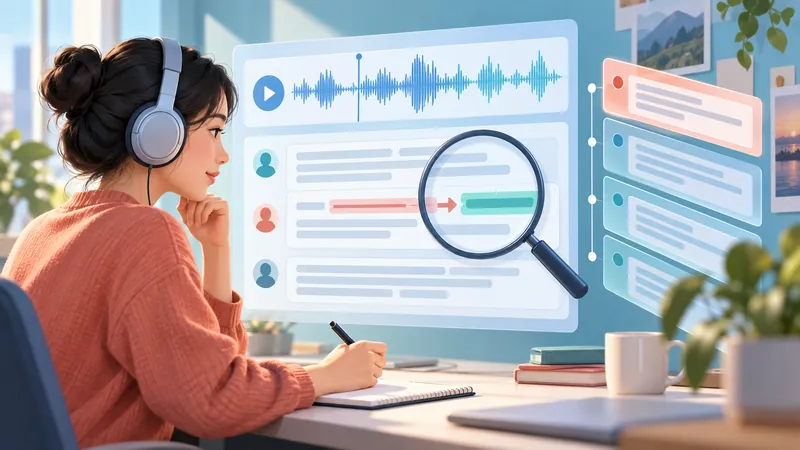
If you need a complete, reliable transcript, listen back to all of it, especially for research, quotes, or important decisions. Spot-checking can work for some low-risk internal transcripts if the user accepts it, but record which parts were and weren't checked.
Anything used as a quote or evidence must be verified against the audio directly. Proofreading the text is not the same as listening.
The checks below can run in the same listening pass; you don't need to hear the file five times.
Check structure, speakers, and critical content
| Area | What to check |
|---|---|
| Structure | Missing, repeated, or reordered segments; correct file and ID; timestamps match the source |
| Speakers | Right person on every turn; no unlabeled speaker changes |
| Facts | Names, organizations, places, dates, amounts, percentages, units, and terms |
| Meaning | "not/never," "might/will," conditions, and self-corrections |
| Quotes | Match the audio, right speaker, enough context, no change in meaning when excerpted |
Small words flip conclusions. "I haven't agreed" is not "I agreed." "We could roll it out" is not "we will roll it out." And "fifteen" versus "fifty" is an easy mishearing for people and ASR alike, with very different consequences.
If a speaker gives an ambiguous date or contradicts themselves, transcribe what they said; don't correct it to what you think is true. If a note is needed, keep it clearly separate from the participant's words.
Handle unclear audio without filling gaps by guesswork
Go back to each tag and listen to the context before and after. Slowing playback helps, but heavy processing can make audio harder to recognize.
For terms, compare against the glossary or supporting documents. Those confirm spelling when the audio fits; they don't justify inserting a term because it suits the topic.
If it's still unclear:
Keep the right tag and timestamp.
Keep the surrounding words you can hear.
List the open item in the handoff notes.
Don't mark a passage
Quote-readyif a key word is unresolved.
Pick a different, verified quote, or follow an editorial process that discloses the limitation. If the audio simply doesn't contain the information, switching tools won't recover it.
Check the editing level and consistency
Verbatim: were fillers, repeats, corrections, or pauses removed that the rules said to keep?
Clean verbatim: were negations, conditions, uncertainty, or factual corrections lost?
Edited: is the editing level stated, and is the source version kept?
Then proofread spelling, punctuation, terms, labels, tags, file names, and status. High-risk content may need a second reviewer.
A clean sample doesn't prove the whole transcript is accurate. QA reduces errors; it doesn't guarantee zero. "Fully checked against audio" or "checked 00:00 to 25:00" is more useful than "checked carefully."
Step 7: Review privacy and create a shareable version
An accurate transcript may still not be fit to send. This is the pre-sharing check, not the first time you think about data handling.
Look for direct and indirect identifiers
Personally identifiable information (PII) is information that can identify a person: name, address, email, phone number, record ID, or a combination of details.
Don't stop at names. Look at health details, employers, rare job titles, locations, and specific events. A transcript with names removed can still identify someone through a line like "the only person in that role at the company that year."
Go back to the purpose, recipients, and sharing rights from Step 1. Not every sensitive detail needs the same treatment; it depends on legitimate use, policy, and risk. For US health data, HIPAA's de-identification rules apply; for EU participants, GDPR treats pseudonymized data as still personal data.
Redaction, pseudonymization, and anonymization are different
| Term | In practice | Example | Limit |
|---|---|---|---|
| Redaction | Removing information from the copy the recipient gets | [NAME], [ORGANIZATION] | Other context may still identify the person |
| Pseudonymization | Replacing identity with a code that extra information can link back | Participant 01, with a separately stored key | Not encryption, not anonymization |
| Anonymization | Processing so the person can no longer be identified, judged against the applicable context and criteria | Removing or generalizing many details, then assessing re-identification risk | Removing names alone doesn't get you there |
Use the right term so recipients understand the limits. "De-identified sharing copy" fits when you've replaced names and reviewed details but have no basis to claim anonymization.
Build the sharing copy and test for leaks
If you're allowed to keep both, separate the restricted full transcript from the sharing copy. In the sharing copy:
Use consistent placeholders such as
[NAME],[ADDRESS],[ORGANIZATION],[PATIENT ID], or[LOCATION], matching what's actually present.Re-read the context after replacing. If a job title or event still identifies someone, cut or generalize it and note the edit.
Check hidden data. Comments, tracked changes, and file metadata can still hold the original.
Don't just highlight text in black. Copy text out of the exported file to confirm redacted content is really gone.
Store the linking key separately, with restricted access.
Send through an approved channel, to people with the right access.
If you also share the audio, review it separately. Redacting a name in the transcript doesn't remove it, or the voice, from the recording.
In our scenario, the sharing copy keeps Participant 01, replaces the organization with [ORGANIZATION], and reviews job titles and events for identifiability. It isn't called "fully anonymized" just because names were replaced.
Step 8: Finalize the version and hand it off
Record status, version, and who accepted it
The top of the document or the handoff note should state:
Project and interview ID; reference audio file name.
Transcript style; full or sharing copy.
Version, date edited, and status.
Reviewer, and approver if your process needs one.
QA scope, open unclear passages, and usage limits.
For solo work, you may be both transcriber and approver. What matters is knowing which version is in use and how far it was checked.
A Final can still contain [inaudible] if that limitation is recorded and acceptable for the purpose. A transcript with no uncertainty tags isn't automatically done.
If you find an error after handoff, correct it and issue a new version with a change note. Don't silently overwrite a file people are already using. That record of edits and approvals is often called an audit trail; it helps you trace the process, but it isn't a compliance certificate.
Pick a format and include the context
| Format | Good for | Watch out for |
|---|---|---|
| Plain text (.txt) | Search, import into NVivo, ATLAS.ti, or other tools | Keep labels and timestamps clearly formatted |
| Editable document (.docx, Google Docs) | Collaboration, comments, review | Clear tracked changes and comments before sending |
| Archiving an approved version with stable layout | Not tamper-proof or secure by itself |
The handoff package should include or point to:
The transcript version cleared for this recipient.
The style sheet and tag key.
QA scope and open unclear passages.
A list of verified quotes, if needed.
Where authorized people can access the audio.
Usage, retention, and deletion rules.
Make sure recipients understand that a quote verified against the audio is not automatically cleared for publication. Quoting conditions and publication rights are a separate check.
Final check before sending
Right recipient, right interview ID, right sharing copy.
Style, status, and version are clear.
Speaker labels, timestamps, and tags are consistent.
Critical facts and quotes were checked within the stated scope.
Unclear spots weren't deleted to make the text look clean.
No sensitive content beyond what's permitted.
You're not accidentally sending the raw AI output or the full restricted copy.
Storage and retention for audio, transcript, and linking key are defined.
This last step doesn't repeat QA. It makes sure the checked version reaches the right people with the right limits.
Worked example: one error that shows why you listen back
Back to our scenario. The source audio says:
"Um, I thought the program started in May—sorry, I mean June—but I'm not completely sure."
A draft (constructed for illustration) reads:
"The program started in June."
It's tidy and grammatical, and it has lost three things:
"I thought": this is the speaker's belief, not a confirmed fact.
The May-to-June correction: the fact changed mid-sentence.
"I'm not completely sure": the uncertainty remains after the correction.
After listening back, the clean verbatim line becomes:
"I thought the program started in May—sorry, June—but I'm not completely sure."
The reviewer keeps the timestamp so the line can be found again. If the month can't be confirmed from the audio, it gets an uncertainty tag instead of "June because it fits," and the line is not Quote-ready.
Here is how the scenario's decisions map out:
| Decision | Reason | How it's verified |
|---|---|---|
| Clean verbatim | Content needed, not fillers | No lost corrections, negations, or certainty |
| Hybrid | Fairly clear audio, AI approved | Test output complete enough to correct; adjust if errors are systematic |
| Regular timestamps plus hard passages and quotes | Evidence must be findable | Timestamps land on the right audio |
| Full listen-back | Used for analysis and quotes | QA scope recorded; each quote checked |
| Keep the crosstalk tag if unresolved | No basis to fill it | Listed in handoff notes |
| Separate sharing copy | Identifying details present | Names, organization, titles, places, and combinations reviewed |
| Mark Final once accepted | Everyone must know which version to use | Correct version, scope, and recipient |
If the crosstalk passage holds a statement central to the findings, a Final label doesn't make it verified evidence; resolve that limitation first. And this example illustrates the criteria. It doesn't prove hybrid is always faster, cheaper, or better than manual.
Start with a test run, not a tool choice
Transcribing an interview well means producing text that fits its purpose, keeps the meaning, can be checked, and stays within what you're allowed to share. The tool handles only part of that.
Fill in the brief and confirm permissions.
Pick a style and finish the style sheet.
Test on 5 to 10 minutes of audio, including a hard passage if there is one.
Check the test against the audio, including the editing level and the sharing copy.
Adjust before processing the full file.
A 5 to 10 minute test tells you whether the process works. It isn't a statistical sample proving the whole file's accuracy. If you're comparing tools for the draft step, see our roundup of the best transcription software, and for recorded meetings rather than interviews, our guide to meeting transcripts.
FAQ
How long does it take to transcribe a 1-hour interview?
Typing it yourself usually takes about 4 to 6 hours, depending on audio quality, speakers, and style. An AI draft arrives in minutes, but reviewing it against the audio still takes time, often an hour or more for clear audio and longer for noisy or technical interviews.
What's the difference between verbatim and clean verbatim?
Verbatim keeps fillers, repetitions, false starts, and (if your rules say so) pauses and nonverbal sounds. Clean verbatim removes fillers and stumbles that carry no meaning but must keep negations, conditions, uncertainty, and factual self-corrections.
How do I handle negations and hedges in a clean transcript?
Keep them. Only remove fillers like "um" and "uh" and repetitions that don't affect meaning. Dropping "not," "I think," or "I'm not sure" can turn a cautious statement into a false claim, which damages analysis and quotes later.
When is a passage ready to quote?
When it has been checked directly against the audio and matches the spoken words, the correct speaker, and its context, with no change in meaning when excerpted. If it still contains an [unclear term] tag or words lost to crosstalk, don't mark it Quote-ready; choose a verified alternative or disclose the limitation.
Should I keep every version of the transcript?
Not necessarily forever, but manage key versions under your retention policy. A Draft → Reviewed → Final trail lets you trace errors. If you fix something after handoff, issue a new version rather than silently overwriting the old one.
Is it safe to use AI to transcribe interviews?
It can be, if you're permitted to send the data to that service. Confirm your agreements and policies first, prefer tools approved for your data, and treat AI output as a Draft until it's checked against the audio. Review the file for PII before sharing it outside a secure environment.