
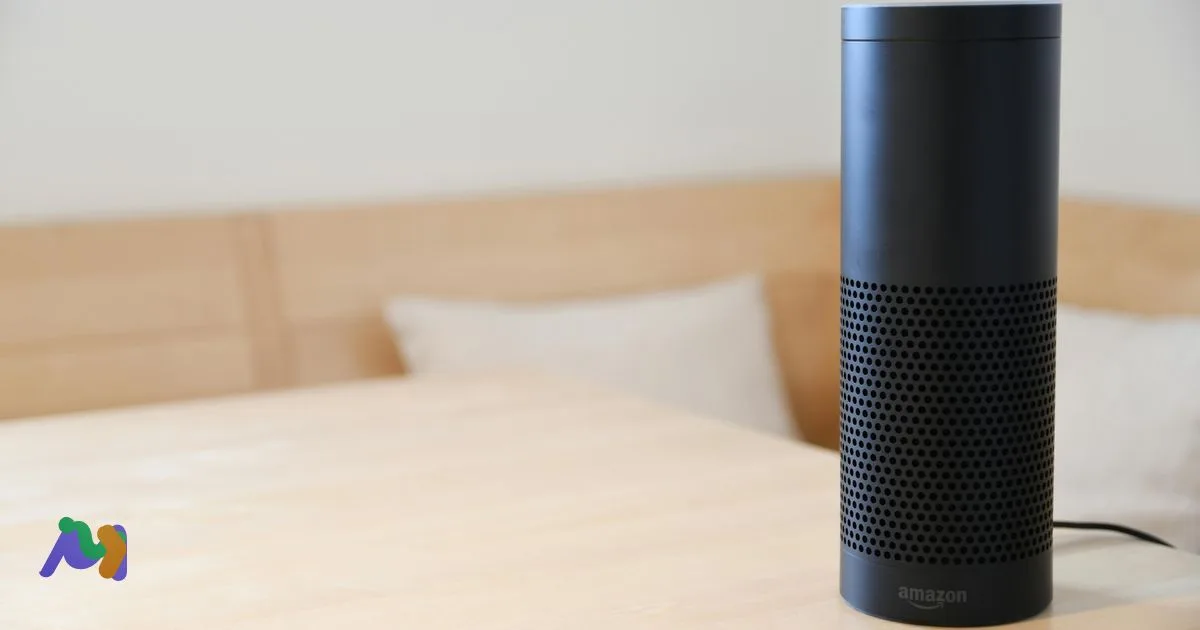
Speech-to-text is the technology that turns spoken language into written text — and it's everywhere now, even when you don't notice it. The captions on a video, the transcript of a call, your phone's voice typing keyboard, the way Siri understands "set a timer for ten minutes" — all built on the same underlying technique. This guide covers what speech-to-text actually is, how the pipeline works under the hood, why it sometimes gets things wrong, and where it shows up across industries today.
Table of contents
- Key takeaways
- What is speech-to-text?
- Speech-to-text vs ASR vs voice recognition vs dictation
- A brief history of speech-to-text
- How speech-to-text works (technical breakdown)
- Stage 1 — Audio capture
- Stage 2 — Pre-processing
- Stage 3 — Acoustic model
- Stage 4 — Language model
- Stage 5 — Decoding and post-processing
- What can speech-to-text be used for?
- Benefits of speech-to-text
- Limitations to know
- Speech-to-text vs Text-to-speech vs Voice recognition
- Real-world applications by industry
- Personal and consumer
- Education
- Business
- Healthcare
- Legal
- Customer service and call centers
- Accessibility
- Popular speech-to-text engines and tools
- Cloud APIs (for developers)
- Open-source
- Built-in (consumer)
- Consumer apps
- Trends in speech-to-text (2026 and beyond)
- Frequently asked questions
- Is speech-to-text the same as voice recognition?
- Does speech-to-text need internet?
- How accurate is speech-to-text?
- What's the difference between STT and TTS?
- What are the most popular speech-to-text engines?
- Is speech-to-text safe for confidential content?
- Conclusion
Key takeaways
Speech-to-text (STT) is the conversion of spoken audio into written text using AI models — also called automatic speech recognition (ASR), voice recognition, or dictation.
The modern pipeline has five stages: audio capture, pre-processing, acoustic modeling, language modeling, and post-processing.
Accuracy on clean English audio is typically 90–95% — accents, noise, jargon, and overlapping speech remain the consistent failure modes.
STT powers everything from meeting transcripts and live captions to voice assistants, customer-service analytics, and accessibility tools.
What is speech-to-text?

Speech-to-text is software that takes audio of someone speaking and produces a written transcript of what was said. The input is sound (a recorded file or a live microphone stream); the output is text. Modern systems use machine learning — specifically deep neural networks — to map acoustic patterns to phonemes, words, and finally fully-punctuated sentences.
Speech-to-text vs ASR vs voice recognition vs dictation
These four terms get used interchangeably but have subtle differences:
Speech-to-text (STT) — the modern, vendor-friendly umbrella term, especially in product marketing.
Automatic Speech Recognition (ASR) — the older academic and engineering term for the same technology. You'll see it in research papers and developer documentation.
Voice recognition — colloquially the same as STT, but technically refers to two different things: speech recognition (what was said) and speaker recognition (who said it). Context usually makes the meaning clear.
Dictation — STT specifically as a productivity feature for typing by voice. The same engine, framed for end users.
Throughout this guide, we'll use STT as the primary term.
A brief history of speech-to-text
STT didn't appear with ChatGPT — it has a 70-year history that explains why the modern systems work the way they do.
1952 — Audrey (Bell Labs). The first speech recognition system. Recognized spoken digits 0–9 from a single speaker. Useful only as a research demo.
1962 — IBM Shoebox. Recognized 16 English words and 10 digits. Demonstrated commercial potential.
1971–76 — Carnegie Mellon's HARPY system. Could recognize about 1,000 words from a controlled vocabulary. The first system that approached "useful."
1990s — Dragon NaturallySpeaking. The first consumer-grade dictation product, sold for $695. Required 30+ minutes of speaker-specific training.
2011 — Siri ships. Cloud-based STT goes mainstream. Apple's acquisition of Siri Inc. brings voice assistants to every iPhone.
2012–17 — Deep learning revolution. Recurrent neural networks (RNNs) and LSTMs replace older Hidden Markov Models. Accuracy jumps dramatically, training data grows.
2017 — Transformers paper ("Attention Is All You Need"). The architecture that powers most modern STT engines.
2022 — OpenAI Whisper. Open-source transformer-based STT trained on 680,000 hours of audio. Sets a new bar for multilingual accuracy and removes pricing as a barrier for many use cases.
2024–26 — On-device + LLM-aware STT. Apple Intelligence runs STT locally on iPhone; Google's models add language-model post-processing for cleaner output. Real-time latency drops below one second.
The biggest single insight: 70 years of incremental progress, then a 5-year explosion driven by transformer-based deep learning. Most of what's possible today wouldn't have worked in 2017.
How speech-to-text works (technical breakdown)

Modern STT systems run a five-stage pipeline. The exact implementation varies, but the conceptual flow is consistent across vendors.
Stage 1 — Audio capture
The system gets an audio signal — either a live stream from a microphone or a recorded file. Format and sample rate matter: 16 kHz mono is the most common input for STT engines (telephony quality), with 48 kHz used for high-fidelity recordings. Lossy formats like MP3 lose information that the model can't recover.
Stage 2 — Pre-processing
Before the audio reaches the model, several cleaning steps happen:
Noise reduction. Background hum, fan noise, and keyboard clicks are filtered out.
Voice activity detection. The system identifies which parts of the audio contain speech vs silence, and ignores the silence.
Normalization. Volume is leveled so loud and quiet speech are processed consistently.
Segmentation. Long audio is split into manageable chunks for processing.
Stage 3 — Acoustic model
The acoustic model maps audio waveforms to phonemes (the smallest units of sound — like the "k" in "cat"). It does this by analyzing spectrograms, which are visual representations of sound frequencies over time. Modern acoustic models are deep neural networks trained on hundreds of thousands of hours of labeled speech.
Stage 4 — Language model
Phonemes alone are ambiguous — "rec-og-nize speech" and "wreck a nice beach" sound nearly identical. The language model uses probabilistic context to pick the right interpretation: in a typical English sentence, "recognize speech" is far more likely than "wreck a nice beach." Modern language models are also neural networks, often integrated tightly with the acoustic model into a single end-to-end system (Whisper is a notable example).
Stage 5 — Decoding and post-processing
Finally, the system decides on the most likely word sequence and adds the things that make output readable: punctuation, capitalization, paragraph breaks, and (in some systems) speaker labels and timestamps. Specialized post-processing handles numbers ("twenty-five" → "25"), dates, and currencies according to formatting conventions.
What can speech-to-text be used for?
STT is now infrastructure — a building block underneath a wide range of products and workflows.
Voice typing and dictation. Faster than keyboard for many users (especially mobile). Built into iOS, Android, Windows, and macOS.
Meeting transcripts. Tools like Otter, Fireflies, and Fathom transcribe Zoom, Meet, and Teams calls. See our deep dive on meeting transcripts for the workflow.
Live captions for video. Real-time subtitle generation for accessibility, broadcasting, and global reach.
Voice assistants. Siri, Alexa, Google Assistant, and ChatGPT Voice all begin with STT — the model can't understand a question until it's transcribed.
Voice search. "Hey Google, weather tomorrow" gets transcribed before the search query runs.
 Try NoteMeeting Free →
Summarize your meetings & videos automatically with NoteMeeting
Google Meet, Zoom, YouTube, Podcast — all in one extension.
Customer service analytics. Call centers transcribe every call to surface common issues, train agents, and feed CRM systems.
Accessibility. Real-time captions for deaf and hard-of-hearing users; voice input for users with motor disabilities.
Content creation. Podcasters and YouTubers use STT for show notes, SEO transcripts, and clip extraction.
Benefits of speech-to-text
Speed. The average person speaks at 150 words per minute and types at 40. Voice typing can be 3× faster than keyboard for the same content.
Hands-free workflow. Useful when driving, cooking, exercising, or any time keyboards aren't an option.
Accessibility. Removes barriers for users with motor, vision, or learning disabilities. Live captions are equal access for deaf and hard-of-hearing participants.
Searchable audio archives. Once transcribed, every meeting, podcast, and call becomes findable by keyword — turning hours of audio into a queryable knowledge base.
Multilingual content reach. STT plus translation lets a podcast or training course reach a global audience without re-recording.
Productivity for repetitive content. Doctors dictating clinical notes, lawyers dictating briefs, and field workers dictating reports all save material time.
Limitations to know
Accuracy isn't 100%. The standard accuracy metric is the Word Error Rate (WER) — the percentage of words the model gets wrong. Even the best systems sit around 5–10% WER on clean English; real-world recordings are often higher. We have a dedicated guide on understanding WER.
Sensitive to audio quality. Noise, weak microphones, fast speech, and overlapping speakers all degrade accuracy. A clean recording with one speaker on a good microphone is the gold standard; everything else is a step down.
Names, acronyms, and jargon. Proper nouns and industry-specific terms are the consistent error zones. "Aisha" gets rendered as "Asia," "AOV" as "AAV," and so on. Custom vocabulary helps but isn't free in most tools.
Regional accents. Most major engines now handle American, British, and Australian English well, but accuracy can drop 10–15% on heavy regional accents (Scottish, Indian English, Southern US in some models).
Always requires human review for high-stakes use. Court transcripts, medical records, and legal documents still need human verification — STT is a draft, not a certified record.
Privacy. Cloud-based STT means your audio is processed by a third-party server. Sensitive content (PHI, M&A discussions, legal advice) deserves a vendor with explicit compliance commitments — or an on-device model.
Speech-to-text vs Text-to-speech vs Voice recognition
Three terms that get tangled. Quick disambiguation:
Term |
What it does |
Input → Output |
Example |
|---|---|---|---|
Speech-to-text (STT) |
Converts speech audio to written text |
Audio → Text |
Meeting transcript, voice typing |
Text-to-speech (TTS) |
Reads text aloud in a synthetic voice |
Text → Audio |
Audiobook narration, screen readers |
Voice recognition |
Either STT (what was said) or speaker ID (who said it) |
Audio → Text or Audio → Identity |
Siri (STT) or banking voice login (speaker ID) |
STT and TTS are inverses of each other; voice recognition is a broader (sometimes ambiguous) umbrella.
Real-world applications by industry
Personal and consumer
Voice typing on iPhone, Android, Windows, macOS, ChromeOS.
Voice search ("Hey Google," "Hey Siri").
Voice assistants for smart home control.
Real-time captions on YouTube, TikTok, and Instagram.
Education
Lecture transcription for review and study.
Live captions for hearing-impaired students.
Foreign-language learning with pronunciation feedback.
Automatic subtitles for online courses.
Business
Meeting transcripts and AI summaries.
Sales-call recording and CRM auto-population.
Customer-service call analytics.
Voice-driven enterprise search.
Healthcare
Clinical note dictation (Nuance, 3M M*Modal, Suki).
Patient-doctor visit transcription.
Hands-free EHR navigation.
Legal
Deposition and interview transcription (with human verification for court records).
Hearing transcripts.
Document drafting via dictation.
Customer service and call centers
Real-time transcription for QA and compliance.
Sentiment analysis on agent calls.
Automatic call summarization for ticket fields.
Accessibility
Live captioning for any video stream.
Real-time sign-language adjacent assistive tech.
Voice input as a keyboard alternative.
Popular speech-to-text engines and tools
Cloud APIs (for developers)
Google Cloud Speech-to-Text — broad language support, batch and streaming modes, deep Google Cloud integration.
Amazon Transcribe — strong AWS-native integration, custom vocabulary, healthcare-tuned model.
Azure Speech — Microsoft's cloud STT with custom voice training.
Deepgram — focused on streaming and low-latency use cases; popular with call-center vendors.
AssemblyAI — developer-friendly API with built-in summarization, sentiment, and topic detection.
Open-source
Whisper (OpenAI) — high-accuracy multilingual model, free to use, can run on consumer hardware.
Vosk — lightweight, offline-capable, supports 20+ languages.
Coqui STT — community-maintained fork of the original Mozilla DeepSpeech.
Built-in (consumer)
iOS Dictation (on-device on iPhone XR+).
Android Voice Typing (Live Transcribe).
Windows Speech Recognition.
macOS Dictation (on-device).
For mobile-specific guidance, see our breakdown of speech-to-text on iPhone and Android.
Consumer apps
Otter.ai — meetings and lectures.
Notta — multilingual transcription.
Dragon NaturallySpeaking — desktop dictation, especially in healthcare and legal.
Rev — human-verified transcripts at $1.50/audio minute.
Trends in speech-to-text (2026 and beyond)
Real-time, low-latency transcription. Sub-300 ms latency is now achievable, opening up live caption use cases that weren't viable before. Our deep dive on real-time speech to text covers the architecture.
LLM-aware post-processing. Modern systems pair STT with a language model that fixes context errors after transcription — closing the gap on names, jargon, and ambiguity.
Multilingual + accent robustness. Whisper and successors are trained on thousands of hours per language, narrowing the accuracy gap between English and everything else.
On-device models. Apple Intelligence runs STT locally on iPhone; Google's Live Transcribe runs offline on Pixel devices. The privacy story improves substantially.
Speaker diarization, emotion, intent. Beyond just words, modern systems extract who spoke, what tone they used, and what they were trying to do — useful for sales coaching, customer-experience analytics, and compliance.
Frequently asked questions
Is speech-to-text the same as voice recognition?
Sort of. "Voice recognition" colloquially means the same thing as STT (recognizing what was said), but technically it can also refer to speaker recognition (identifying who said it). Most consumer products use the term for STT; in academic and engineering contexts, "ASR" is the more precise term.
Does speech-to-text need internet?
Not always. Cloud-based STT (Google, AWS, Azure, Otter, Fireflies) requires internet for processing. On-device STT (Apple Intelligence, Google Live Transcribe on Pixel, Whisper running locally) works fully offline. The trade-off is usually accuracy: the largest cloud models still outperform on-device models, but the gap is shrinking.
How accurate is speech-to-text?
For clean English audio, 90–95% word accuracy is typical. Accents, noise, and overlapping speakers can drop accuracy to 70–85%. The metric used to measure accuracy is Word Error Rate (WER) — see our dedicated guide on WER for the details.
What's the difference between STT and TTS?
STT (speech-to-text) converts audio into text. TTS (text-to-speech) does the reverse — it reads text aloud in a synthetic voice. They're inverse technologies, often built by the same vendors as a complementary pair.
What are the most popular speech-to-text engines?
For developers: Google Cloud STT, Amazon Transcribe, Azure Speech, Deepgram, AssemblyAI, and OpenAI's Whisper (open-source). For consumer use: Otter, Notta, Dragon, Rev. Most modern transcription products use one of these engines under the hood.
Is speech-to-text safe for confidential content?
It depends on the vendor. For routine personal use, the major cloud providers are safe enough. For confidential content (PHI, M&A, legal, internal strategy), insist on enterprise-grade compliance — SOC 2 Type II, HIPAA, GDPR — and explicit policies on data retention and training-data use. For maximum control, use an on-device model or a self-hosted Whisper deployment.
Conclusion
Speech-to-text has moved from a research curiosity in the 1950s to invisible infrastructure underneath the products you use every day. The pipeline is well understood, the accuracy is good enough for most use cases, and the cost has fallen far enough that even individual users can transcribe everything they want for free. The remaining work — better accents, better multilingual support, lower latency, deeper on-device privacy — is iterative rather than fundamental. For most teams, the question isn't whether to use speech-to-text but where it'll save them an hour first.