Transcribe & translate YouTube videos & podcasts with AI
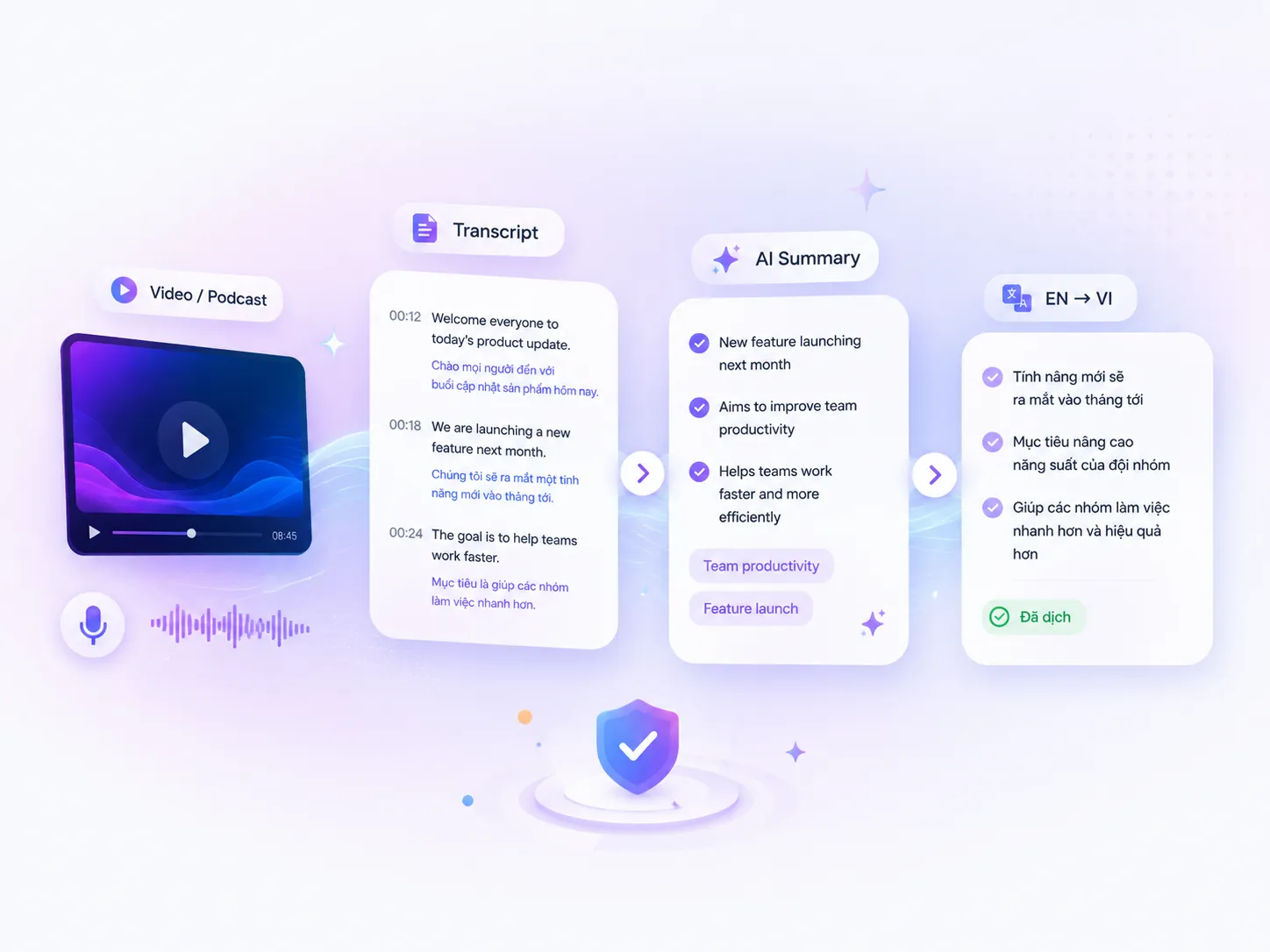
Auto-generate transcripts, bilingual translation, content summaries, and ask AI directly on videos, podcasts, webinars, or online lessons.

3 steps to transcript + summary
Works in your current YouTube tab. No URL copying or tool switching.
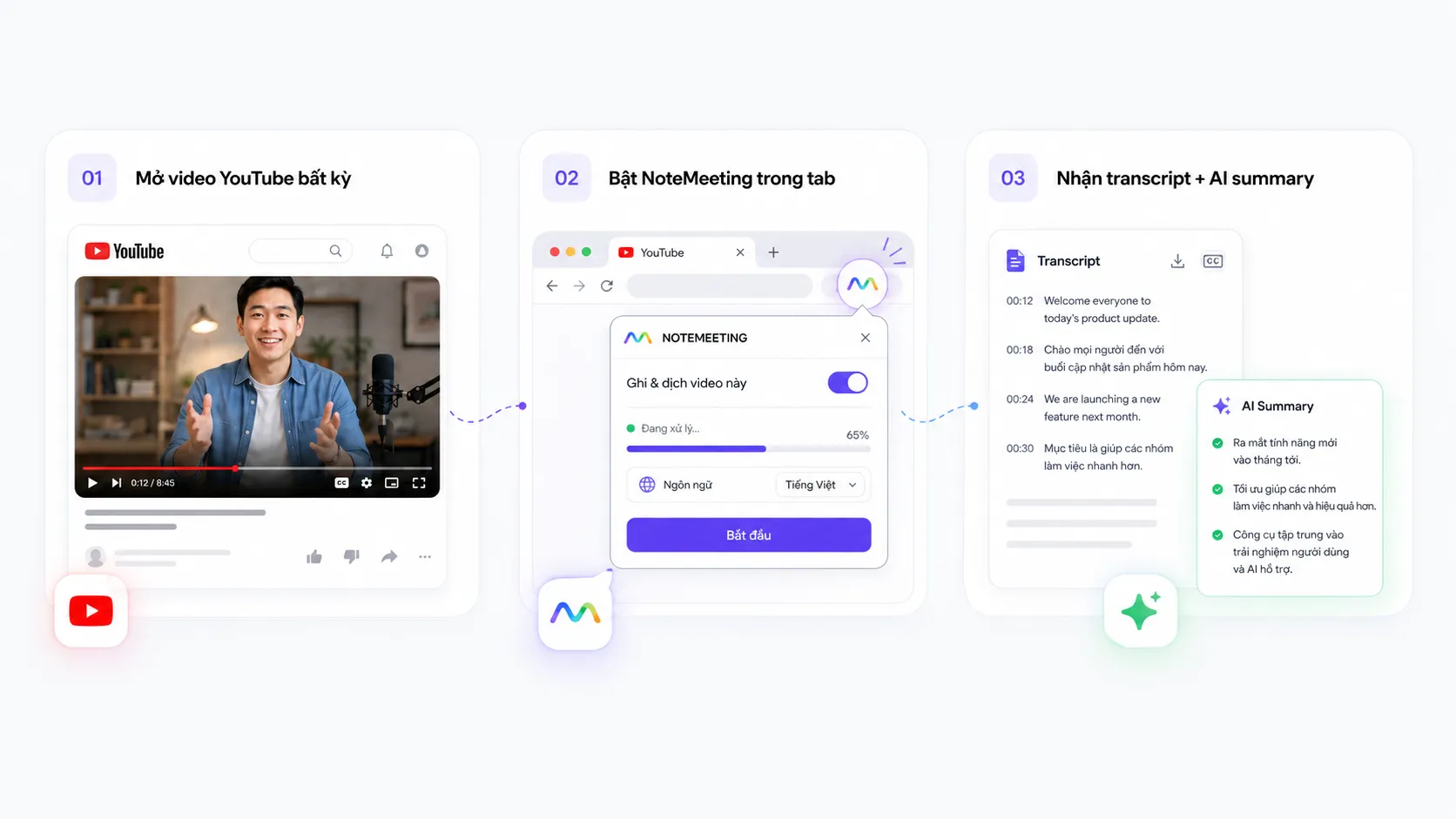
Open any YouTube video
Any tab playing video works — including live streams, premieres, or private videos you have access to.
Activate NoteMeeting in tab
Click extension icon → 'Start capture'. Extension uses tabCapture API for high-quality audio + RNNoise for noise reduction.
Get transcript + AI summary
Real-time transcript as video plays. When done: AI generates summary, key points, timestamp markers, action items (if tutorial).
Any video platform
Not locked to YouTube — runs on any tab with audio. Works great with lectures, podcasts, webinars, and long-form learning content.
Users typically use for
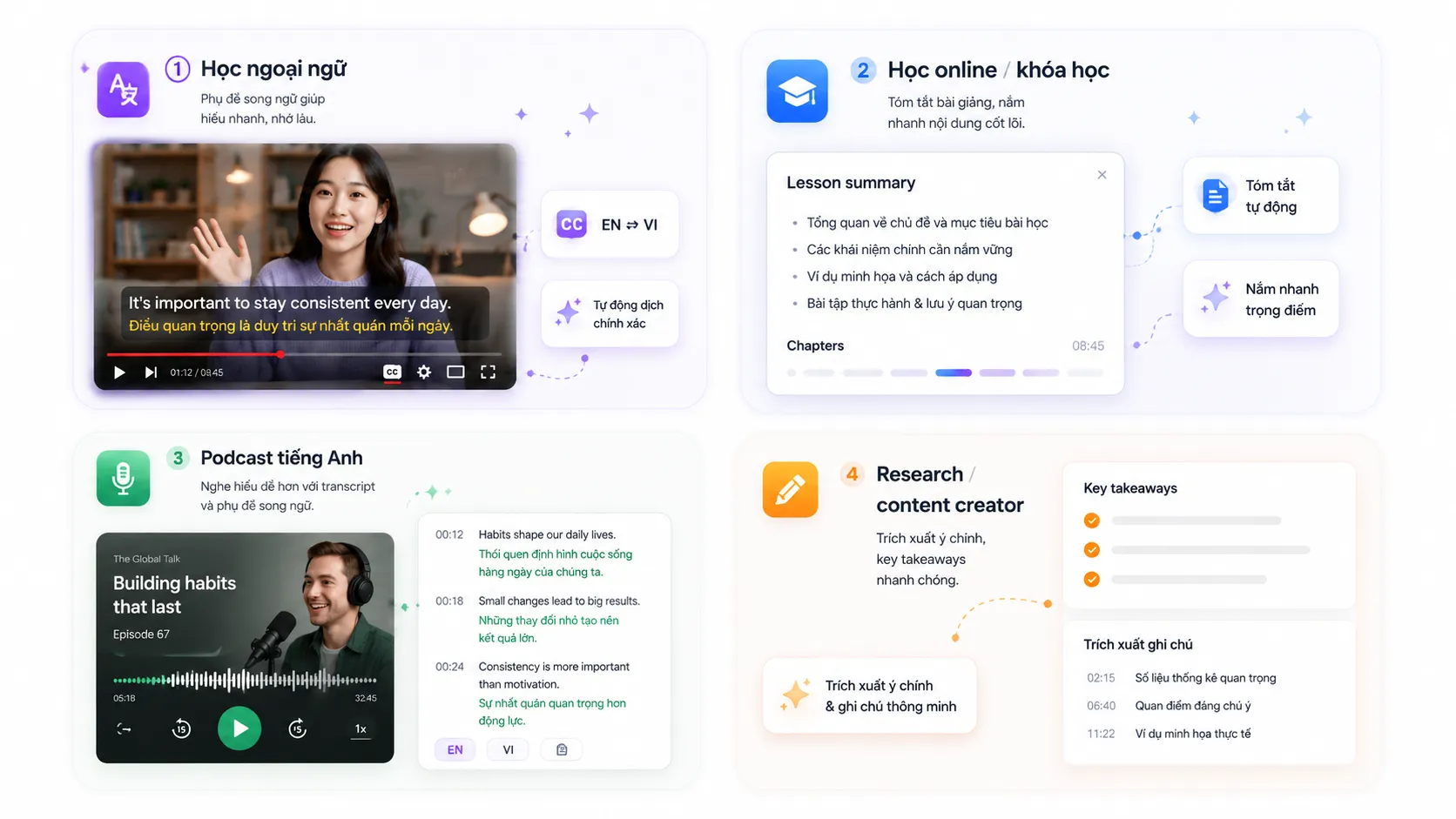
Long-form podcasts (2-4 hours)
Lex Fridman, Joe Rogan, Huberman Lab — no time to listen, get 10-min summary.
Technical / tutorial videos
MIT OCW, Stanford lectures, coding tutorials — search transcript for specific sections.
TED Talks & conference keynotes
Apple WWDC, Google I/O — capture full content + slide context.
Foreign language videos
Netflix shows, Japanese anime, K-dramas — transcript + bilingual translation.
How is NoteMeeting different from YouTube captions?
YouTube already has auto-captions, why use NoteMeeting?
| Feature | YouTube auto-caption | NoteMeeting |
|---|---|---|
| Real-time transcript | ✓ | ✓ |
| AI auto-summary | ✗ | ✓ |
| Key takeaways | ✗ | ✓ |
| Action items extraction | ✗ | ✓ |
| Vietnamese accuracy | Average | High (Soniox) |
| Export transcript (TXT/DOCX) | ✗ | ✓ |
| Works on private videos | ✗ | ✓ |
Common questions
Is it legal to transcribe YouTube videos?
Yes — personal-use transcripts (note-taking, study) are fair use. Don't republish transcripts of copyrighted videos without permission.
Vietnamese videos supported?
Yes — Soniox STT engine is optimized for Vietnamese, more accurate than YouTube auto-captions.
Can I transcribe videos I've already watched?
Yes — just replay the video and the extension captures audio. No video type restrictions.
Video length limits?
None. Tested with 4+ hour podcasts. Transcripts are saved to your NoteMeeting dashboard.

Watch long videos easier, understand faster
Install NoteMeeting in 30 seconds. Free tier with 5 videos/month.