

Gemini in Google Meet is the set of AI features Google builds into Meet: Take notes for me (with Summary so far), Ask Gemini, translated captions, speech translation, studio look, studio lighting, studio sound, Generate a background and adaptive audio. Work and school accounts get all of them on Google Workspace Business Standard ($14 per user per month on an annual plan), Business Plus ($22), Enterprise Standard or Enterprise Plus; free Gmail and Business Starter get none. Personal accounts need Google AI Pro ($19.99 a month) or Google AI Ultra (from $100), and even those plans do not include Ask Gemini or adaptive audio. There is nothing to install: the features appear inside Meet on the web and in the Meet mobile app once the meeting organizer's plan qualifies, and Ask Gemini starts on its own as soon as two people join.
Table of contents
- What features are included in Gemini in Google Meet?
- Is Gemini in Google Meet free, and which plans include it?
- Workspace plans for work and school accounts
- Google AI plans for personal Google accounts
- Do you need to install anything to use Gemini in Google Meet?
- How do you use Ask Gemini in Google Meet?
- How do you turn off Ask Gemini in Google Meet?
- Before the meeting, in Google Calendar
- During the meeting
- For the whole organization
- If you are only a participant
- What do Take notes for me and Summary so far do?
- What do the translation, studio and audio features require?
- What happens to your meeting data when Gemini is on?
- What does Gemini leave behind after the meeting?
- What are the limits of Gemini in Google Meet?
- Which claims about Gemini in Google Meet are out of date?
- What are the options on a free Gmail account?
- FAQ
- Does Gemini work with Google Meet?
- How do I install Gemini in Google Meet?
- How do I get Gemini notes from a Google Meet call?
- How do I enable Ask Gemini in Google Meet?
- Can I use Gemini to take notes outside Google Meet?
- Does Gemini in Google Meet work on iPhone?
Plans, prices and menu names below were checked on Google's help center, pricing page and blogs on November 14, 2026. Step-by-step setup for the note-taking feature is in our Google Meet Take notes for me guide.
What features are included in Gemini in Google Meet?
Google lists seven Gemini features for Meet in its comparison of Gemini features by plan: adaptive audio, Ask Gemini in Meet, Generate a background, speech translation, studio sound/look/lighting, Take notes for me and translated captions. Summary so far is part of Take notes for me. The table below combines that comparison with each feature's own help page.
| Feature | What it does | Workspace editions | Google AI plans | Languages | Who turns it on | Devices |
|---|---|---|---|---|---|---|
| Take notes for me | Writes a Google Docs summary with decisions and next steps, emailed after the meeting | Business Standard, Business Plus, Enterprise Standard, Enterprise Plus, Frontline Plus | Pro, Ultra (meetings you host) | 8: English, French, German, Italian, Japanese, Korean, Portuguese, Spanish; one per meeting | Organizer or anyone internal to the host's organization; only hosts and co-hosts when host management is on; can start automatically | Computer, Android, iPhone, iPad |
| Summary so far | Catches up late joiners on what was said | Same as Take notes for me | Same as Take notes for me | Same 8 | Available while Take notes for me is running | Computer (Google says Android and iOS are not supported) |
| Ask Gemini | Private chat that answers questions about the live meeting | Business Standard, Business Plus, Enterprise Standard, Enterprise Plus | Not included | Same 8; one per meeting | On by default; organizer, co-hosts or admin can turn it off for the room | Computer, Android, iPhone, iPad |
| Translated captions | Shows captions translated into another language, only for you | Business Standard, Business Plus, Enterprise Standard, Enterprise Plus, Google AI Pro for Education; Frontline Plus on the comparison page only | Listed for Pro and Ultra on the comparison page, but not on the feature page | 69 languages to or from | Each participant | Computer, Android, iPhone, iPad |
| Speech translation | Translates speech out loud in near real time, in a voice like the speaker's | Business Standard, Business Plus, Enterprise Standard, Enterprise Plus, Frontline Plus, AI Pro for Education | Pro, Ultra | 63, in any combination; Meet detects the spoken language | Each participant, for themselves; the host needs an eligible plan | Computer, Android, iPhone, iPad; Meet hardware can only listen |
| Studio look, studio lighting, studio sound | Fixes dim or low-quality webcam video, simulates studio lights, rebuilds poor headset and dial-in audio | Business Standard, Business Plus, Enterprise Standard, Enterprise Plus, Frontline Plus | Pro, Ultra | Not language dependent | Each participant | Computer (studio sound also helps dial-in callers) |
| Generate a background | Creates a call background from a text prompt | Business Standard, Business Plus, Enterprise Standard, Enterprise Plus, Frontline Plus | Pro, Ultra | Google does not state prompt languages | Each participant | Computer, Android |
| Adaptive audio | Merges the mics and speakers of several laptops in one room to stop echo and feedback | Business Standard, Business Plus, Enterprise Standard, Enterprise Plus, Frontline Plus | Not included | Not language dependent | Turns on automatically when Meet detects several laptops in the room | Computer (not with Meet hardware) |
Regular live captions, Transcripts and recording are not Gemini features: live captions work on every account, including free Gmail (see how to turn on Google Meet captions). Google also contradicts itself on translated captions for personal accounts: the plan comparison marks Google AI Pro and Ultra, but the translated captions help page lists only Workspace editions and Google AI Pro for Education. If that is why you would buy Google AI Pro, test it in your first month.

Is Gemini in Google Meet free, and which plans include it?
Gemini in Google Meet is not free: free Gmail and Google Workspace Business Starter get none of the seven features. The meeting organizer's plan decides most of what everyone sees; Google lists an organizer without an eligible edition as the first reason Take notes for me or Ask Gemini is missing. A Business Standard user in a meeting created from a free Gmail account may see no Gemini controls at all.
| Account or plan | U.S. price | Gemini in Meet | What is missing |
|---|---|---|---|
| Free Gmail | $0 | None | All seven features; regular live captions still work |
| Google AI Plus | $7.99 per month | None | All seven features |
| Google AI Pro | $19.99 per month | Partial | Ask Gemini, adaptive audio; translated captions unclear |
| Google AI Ultra | $100 or $200 per month | Partial | Same as Google AI Pro |
| Workspace Business Starter | $7 per user per month (annual plan) | None | All seven features |
| Workspace Business Standard | $14 per user per month (annual plan) | All seven | Nothing, unless an admin turns features off |
| Workspace Business Plus | $22 per user per month (annual plan) | All seven | Nothing, unless an admin turns features off |
| Workspace Enterprise Standard, Enterprise Plus | Quote from Google sales | All seven | Nothing, unless an admin turns features off |
| Workspace Frontline Plus | Not on the public pricing page | Six | Ask Gemini |
Workspace plans for work and school accounts
On the Google Workspace pricing page, "Gemini in Meet" is checked for Business Standard, Business Plus and Enterprise, not Business Starter. The $7, $14 and $22 prices are per user per month before tax with "Annual (Save 16% with 1 year commitment)" selected, so Flexible month-to-month billing costs more; the page did not show the exact Flexible prices in our check. New customers saw 40% off Business Standard ($8.40) for 12 months for up to 20 users, plus a 14-day trial. Gemini is now part of these plans, so there is no separate Gemini Business or Gemini Enterprise add-on to buy. Even on a qualifying plan, an admin can turn features off, users who disable Google's smart features lose Ask Gemini and Take notes for me, and Google requires users to be 18 or older.
Google AI plans for personal Google accounts
A personal Gmail account gets Gemini in Meet only through Google AI Pro or Ultra. Google AI Plus ($7.99 a month in the U.S., per Google's January 2026 announcement) has no Meet features in the plan comparison. Google AI Pro is $19.99 a month, the U.S. price in Google's August 2026 student offer, and Google AI Ultra has $100 and $200 tiers since I/O 2026. Pro and Ultra add Take notes for me for meetings you host (per Google's June 29, 2026 post), speech translation, studio effects and Generate a background. Checkout shows the final price for your country.
Do you need to install anything to use Gemini in Google Meet?
No. Gemini in Google Meet is built into meet.google.com and the Google Meet app for Android, iPhone and iPad; Google's help pages describe no extension, add-on or download. When the organizer's plan qualifies, the controls simply appear in the call: Ask Gemini at the bottom left of the web window, Take notes for me at the top right, translated captions and speech translation under Captions & translation, studio effects and Generate a background under Apply visual effects. On a phone, keep the Meet app updated. The Gemini app at gemini.google.com is a separate chatbot that does not join your calls, and older advice to sign up for "Google Workspace Labs" no longer applies.
How do you use Ask Gemini in Google Meet?
Ask Gemini is a private chat box in a live Meet call that summarizes the discussion, recaps what someone said and lists decisions and action items. Per the Ask Gemini help page, it answers from live captions, Workspace content you can already access and Google Search, and only you see the answers.
- On a computer, join the meeting at meet.google.com. Ask Gemini starts automatically once two participants are in the call, or when the host turns it on.
- At the bottom left of the screen, click the Ask Gemini text box. Google moved the box there from a top-right icon starting May 26, 2026.
- Type a question, for example "Summarize the last 10 minutes" or "Who agreed to send the proposal?", or pick a suggested question. Click the Ask Gemini icon for more suggestions.
- On an Android phone or tablet, open the Meet app and tap More controls > Ask Gemini. On an iPhone or iPad, tap Menu > Ask Gemini.
- If Ask Gemini does not start, hover over the Ask Gemini turned off icon at the bottom left and click Start now.
Ask Gemini cannot answer questions about what was said before you joined unless Take notes for me was already running, and it is not available in breakout rooms. The chat box clears when you reload the browser, rejoin or go offline, although prompts stay in your Gemini conversation history. Google says Ask Gemini is not meant for producing transcripts; use Transcripts for that. (Google's January 2026 announcement told mobile users to tap a Gemini icon at the top right; the current help page uses the More controls and Menu paths above.)

Summarize your meetings & videos automatically with NoteMeeting
Google Meet, Zoom, YouTube, Podcast — all in one extension.
How do you turn off Ask Gemini in Google Meet?
Ask Gemini is on by default for eligible Workspace accounts, so only the organizer, a co-host or an admin can turn it off for a meeting.
Before the meeting, in Google Calendar
- On a computer, open calendar.google.com.
- Click the event and choose Edit event.
- If the event has no meeting yet, click Add Google Meet video conferencing.
- Click Video call options, then Gemini.
- Turn off Meeting attendees can use Ask Gemini and save the event.
During the meeting
The host or a co-host opens Host controls and turns Gemini off under the Gemini section, or hovers over the Gemini icon and uses its three-dot menu. The change applies to everyone in the meeting.
For the whole organization
A Google Workspace admin turns Ask Gemini off for the domain, an organizational unit or a group in the Admin console under Apps > Google Workspace > Google Meet > Gemini settings; Google says changes can take up to 24 hours. The admin help article for Ask Gemini is outdated: on November 14, 2026 it still said English only, "will soon be available" and no Business Standard. The Workspace Updates post of January 21, 2026 added Business Standard (from January 26), seven more languages (February 2) and mobile (February 9).
If you are only a participant
Ask the host to turn Ask Gemini off. Turning off smart features in your own Google account stops you from prompting Ask Gemini, but Google is explicit that other people in the meeting can still use it on everyone's speech.
What do Take notes for me and Summary so far do?
Take notes for me writes a shared notes document for the meeting; Ask Gemini answers one person privately and keeps nothing for the group.
| Question | Take notes for me | Ask Gemini |
|---|---|---|
| Output | Google Docs notes plus an email with a summary and suggested next steps | Answers in a private chat box |
| Who sees it | People chosen by the host under "Send notes to" | Only the person asking |
| Do others know it is on | Yes, a pencil icon appears on every screen | Yes, a consent banner, and dial-in callers hear an announcement |
| Joined late | Summary so far (computer only) | Only if Take notes for me was already on |
| Google AI Pro (personal) | Yes, for meetings you host | No |
Take notes for me can be switched on from Google Calendar, the greenroom or inside the call. It can also start without anyone clicking: automatic note-taking became the default for Business Standard and Business Plus meetings with three or more guests (host included) from September 29, 2026, per the Workspace Updates post of September 22, 2026 (Google's admin article still gives the earlier date, September 21). Admins can opt out, and each user can change it at meet.google.com under Settings > Meeting records > "Automatic note taking for all future meetings"; every way to stop it, and to remove third-party bots, is in our guide to turning off the notetaker in Google Meet. Since August 2026 it can also take notes for in-person meetings from the Meet home screen, which Google's April 2026 Cloud Next announcement also pitches for calls held on Zoom or Teams. Recipient settings, mobile steps and fixes are in the Take notes for me guide linked above; for Zoom specifically, see whether Gemini can take notes in Zoom.
What do the translation, studio and audio features require?
- Translated captions: on a computer, click Captions and translation in the bottom bar, turn on captions and pick Translated captions and a language (More options > Settings > Captions still works). Google lists 69 languages, including Spanish, Hindi, Japanese and Vietnamese, and only you see the result. Mobile steps are in our Google Meet translation guide.
- Speech translation: since the October 22, 2026 update it covers 63 languages in any combination and detects the spoken language automatically. Each participant turns it on for themselves: hover over Captions & translation > Translate speech, choose the language to hear, then use Translate me so others hear you translated. It works on the web, Android and iOS, and guests from other organizations can use it when the organizer's plan qualifies. The Speech Translation help page lists a 90-minute limit per meeting (8 hours on Google AI Ultra), a few seconds of delay, and no translation in live streams, recordings, dial-in, client-side encrypted meetings or for anyone using adaptive audio.
- Studio look, lighting and sound: look and lighting sit under Apply visual effects; lighting needs a processor at least as fast as an Intel Core i5-1235U, AMD Ryzen 5 5500U or Apple M1. Studio sound applies automatically when Noise cancellation is on.
- Generate a background: Apply visual effects > Generate a background, then type a prompt such as "a cozy coffee shop with flowers".
- Adaptive audio: starts by itself when Meet detects two or more laptops in one room; turning it off in audio settings may cause echo.
What happens to your meeting data when Gemini is on?
Ask Gemini reads the live captions temporarily; Google says no caption data is stored after the meeting and no recording is made, only your prompts stay in your history. Take notes for me creates a lasting document in the organizer's Drive, governed by the organization's Meet retention policy and shared with all invited guests, internal guests only, or hosts and co-hosts only, as the host chooses. Speech translation saves no audio and trains no models on your voice. Google's Gemini data protection page says Workspace data is not used to train models outside Workspace without permission, and Gemini in Meet does not train on Google AI subscribers' content. An admin setting (off by default) can require everyone to consent before notes, recording or transcription start, admins can show their own policy text before people join since November 2026, and Google asks hosts to confirm consent from external guests before using Ask Gemini.
What does Gemini leave behind after the meeting?
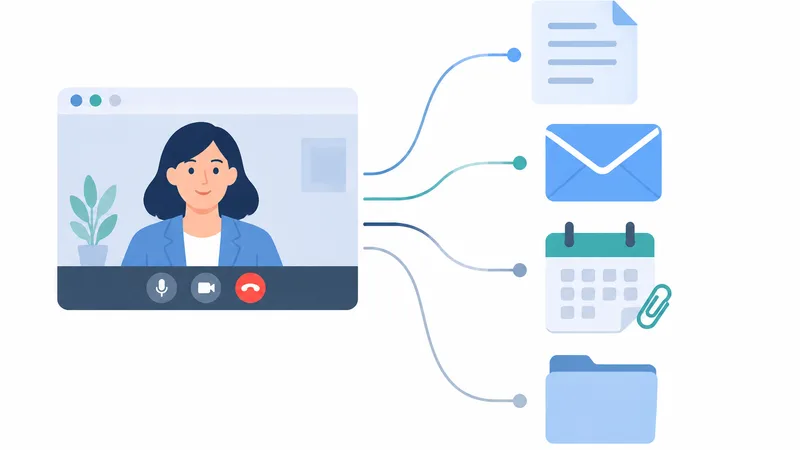
When Take notes for me was on, Gemini leaves a notes document, an email and a link in the Calendar event, and since October 2026 it can also post a recap in Google Chat and suggest next steps on the post-meeting screen. Ask Gemini leaves nothing for the group.
- Notes document: saved shortly after the meeting in the organizer's Drive, in the "Google Meet" folder, one sub-folder per meeting; people it is shared with get a shortcut.
- Email: a link, a summary and suggested next steps, sent to the organizer and the people the notes are shared with.
- Google Calendar: the notes are attached to the event; external guests see the attachment but can open it only if it was shared with them.
- Google Chat recap: if the meeting has a Chat conversation, a card with the summary, decisions, action items and links to the notes, recording and transcript is posted after the call (not when notes go to hosts and co-hosts only), per Google's October 19, 2026 post. Available on Business Standard, Business Plus, Enterprise Standard, Enterprise Plus and Frontline Plus.
- Next steps: on a computer, the post-meeting screen offers to add action items to Google Tasks or, for the host of a non-recurring meeting with at least one external participant, to draft a follow-up email in Gmail, per the post-meeting next steps help page. Workspace editions only; Google does not list Google AI Pro or Ultra.
The old "Meet Recordings" folder is renamed "Legacy Meet Recordings" and moved inside "Google Meet". The Workspace Updates post of July 22, 2026 puts the rename shortly after the new folder rolled out from July 22 to 30, although the Take notes for me help page still says September 2026. If a file is not where you expect, our guide to where Google Meet recordings go walks through every location.
What are the limits of Gemini in Google Meet?
- Languages: Take notes for me and Ask Gemini support eight languages, one per meeting; mixed-language meetings are not supported. Speech translation is the exception, with 63 languages and automatic detection.
- Phones: no Summary so far or post-meeting next steps on Android or iOS, and studio look, lighting and adaptive audio are documented for computers only.
- Length: Take notes for me is recommended for 15 minutes to 8 hours; speech translation stops after 90 minutes, or 8 hours on Google AI Ultra.
- Guests: people outside the host's organization cannot start or stop Take notes for me.
- Accuracy: Google warns Gemini can make mistakes, including about people, and real-time translation has more errors than translating a recording. Check names, numbers and deadlines before forwarding notes.
Which claims about Gemini in Google Meet are out of date?
- "Access Gemini through Google Workspace Labs, included with Gemini Business or Gemini Enterprise" (ClickUp, May 2025): those add-ons are gone; Gemini in Meet is included in Business Standard and above.
- "Gemini only supports English for note-taking and has no translated captions" (same post): notes support eight languages and translated captions 69; notes go to the "Google Meet" Drive folder, not a "Meet Notes" folder.
- "Ask Gemini is English only and coming soon": still in Google's admin article, outdated since early 2026; on the web Ask Gemini is now a box at the bottom left, not a top-right icon.
- "Speech translation works only between English and five languages, on a computer": true until October 2026; it now covers 63 languages in any combination, each person turns it on for themselves, and it runs on Android and iOS too.
- "Personal accounts get everything with Google One AI Premium": the plan is now Google AI Pro, and no Google AI plan includes Ask Gemini.
What are the options on a free Gmail account?
On free Gmail or Business Starter, meeting notes need another route:
- Live captions (free, every account): follow along during the call, but captions are not saved as a file afterward.
- Manual notes in Google Docs (free): slow, and someone has to stop participating to write.
- Recording (Google One 2 TB or more, or Business Standard and up): keeps the video in Drive; see how to record a Google Meet. A recording is not a summary.
- A Chrome extension: works on Meet in the browser regardless of your Google plan; our comparison of Google Meet note-taking extensions covers bot-based and bot-free tools.
If you are on free Gmail, are not the organizer, or need a transcript of meetings in languages Gemini does not support, NoteMeeting is a Chrome extension that runs on Google Meet in the browser, with no bot joining the call, and produces a transcript and an AI summary. NoteMeeting does not store your audio on its servers; you download the transcript and summary yourself. It does not record video, it runs in desktop Chrome rather than the Meet mobile app, and you should still tell participants the meeting is being transcribed. The free trial covers 1 hour of audio for transcripts and summaries; Voice Translator, which translates speech between 10 languages in any pair, is only on the Pro ($22 a month) and Teams ($55 a month) plans and is not part of the trial. Plans start at $6 a month on the NoteMeeting pricing page.
FAQ
Does Gemini work with Google Meet?
Yes, on Workspace Business Standard, Business Plus, Enterprise Standard, Enterprise Plus and Frontline Plus, and on personal Google AI Pro or Ultra plans. Free Gmail, Google AI Plus and Business Starter get no Gemini features in Meet.
How do I install Gemini in Google Meet?
You do not. Gemini features appear inside Meet when the organizer's plan includes them and your admin has not turned them off; on a phone, just update the Meet app.
How do I get Gemini notes from a Google Meet call?
Click Take notes for me at the top right of the call, or check "Take notes with Gemini" under Video call options > Meeting records in the Calendar event before the meeting. After the call, the notes arrive by email, are attached to the Calendar event and are saved in the organizer's Drive under "Google Meet".
How do I enable Ask Gemini in Google Meet?
On an eligible Workspace plan, Ask Gemini is on by default and starts when a second participant joins; click the Ask Gemini box at the bottom left. If it is off, hover over the Ask Gemini turned off icon and click Start now, or ask the host to turn Gemini back on in Host controls or in the Calendar event's Video call options.
Can I use Gemini to take notes outside Google Meet?
Partly. Since August 2026, Take notes for me can capture in-person meetings from the Meet home screen on web and mobile, and Google pitches the same button for calls on Zoom or Teams. Notes go to the Drive of the person who started them, with the same eight-language limit.
Does Gemini in Google Meet work on iPhone?
Partly. The Meet app on iPhone and iPad supports Take notes for me (Menu > Take notes with Gemini), Ask Gemini (Menu > Ask Gemini), translated captions and speech translation. Google says Summary so far is not supported on iOS and documents studio effects, adaptive audio and Generate a background only for computers (and Android for backgrounds).