

Google Meet can translate a meeting in two built-in ways: translated captions, which show the speaker's words as subtitles in your language, and Speech Translation, where Gemini speaks the translation aloud in a voice close to the original speaker's. Neither one is free. Both need a paid Google Workspace edition or a Google AI plan, and Speech Translation still only covers English paired with six languages as of October 2026. If you are on a free Gmail account, or your meeting needs English ↔ Vietnamese voice translation, which Meet does not cover yet, a browser extension is the third option.
Table of contents
- Captions, translated captions and Speech Translation: what's the difference?
- Option 1: Turn on translated captions in Google Meet
- Which plans include translated captions?
- How to translate captions on a computer
- Limits of translated captions
- Option 2: Gemini Speech Translation in Google Meet
- Requirements and language pairs
- How to turn on Speech Translation
- What's coming: Gemini 3.5 Live Translate
- Option 3: Translate Google Meet without Workspace, using NoteMeeting
- What it does differently
- How to use it in a Meet call
- Which Google Meet translation option should you use?
- Tips for more accurate translation in meetings
- How to keep a record of a translated meeting
- FAQ
- Can Google Meet translate in real time?
- Is Google Meet translation free?
- What languages does Google Meet translate?
- Why don't I see translated captions in Google Meet?
- Can other participants see my translated captions?
- Does Google Meet translation work on mobile?
Here is how the three options compare before we get into the steps.
| Option | What you get | Languages | Who can use it | Saved after the call? |
|---|---|---|---|---|
| Translated captions (built in) | Translated subtitles, visible only to you | About 70 languages, to or from the meeting language | Workspace Business Standard, Business Plus, Enterprise Standard, Enterprise Plus, Google AI Pro for Education | No text file. Can be burned into a recording with Record captions |
| Speech Translation (Gemini, built in) | Spoken translation in a voice that mimics the speaker | English with Spanish, French, German, Portuguese, Italian, Hindi | Google AI Pro or Ultra, Workspace Business Standard/Plus, Enterprise Standard/Plus, Frontline Plus, AI Pro for Education | No. Not included in recordings or live streams |
| NoteMeeting Voice Translator (Chrome extension) | Spoken translation plus bilingual captions | English ↔ Vietnamese only | Any Google account, including free Gmail; NoteMeeting Pro or Teams plan | Yes: transcript, AI summary, export |
Captions, translated captions and Speech Translation: what's the difference?
People search for "Google Meet translate" and land on three different features with very different requirements:
Captions transcribe speech into text in the same language. They are free for every account, including personal Gmail. If that is all you need, follow our guide on how to turn on Google Meet captions.
Translated captions listen to the meeting language and display subtitles in a different language. A colleague speaks Japanese, you read English. This is the feature most people mean by "translate in Google Meet," and it needs an eligible Workspace edition.
Speech Translation replaces reading with listening. Gemini translates what each opted-in speaker says and plays it in the listener's language, so the conversation feels closer to working with an interpreter.
If everyone on the call speaks the same language, plain captions are enough. You only need translation when at least one person speaks a language others don't follow.
Option 1: Turn on translated captions in Google Meet
Which plans include translated captions?
According to Google Meet Help, translated captions are available on these editions:
Google Workspace Business Standard
Business Plus
Enterprise Standard
Enterprise Plus
Google AI Pro for Education
Enterprise Starter had access only until June 30, 2025. Free personal Gmail accounts, Business Starter and consumer Google One plans are not on the list, and Google notes the feature is still rolling out gradually, so some eligible accounts may not see it yet. If you use a work account and the toggle is missing, ask your Workspace admin which edition your organization is on.
The language list is broad: about 70 languages, from Arabic, Chinese and Hindi to Japanese, Korean, Spanish, Thai and Vietnamese. You can translate into your language or translate from it, so a non-native speaker on the other side can read your words in theirs.

How to translate captions on a computer
Join the meeting at meet.google.com in your browser.
Click More options (three dots) > Settings > Captions.
Under Language of the meeting, choose the language people are actually speaking.
Turn on Translated captions.
Pick the language you want to read.
Example: for a demo with a client in Madrid who presents in Spanish, set the meeting language to Spanish, turn on translated captions and choose English. A wrong meeting language is the most common reason translated captions turn into nonsense, so check that setting first.
On the Android and iOS apps the setting lives in the same place: tap the screen, open More options > Settings > Captions, then choose the translation language. Screenshots for each platform are in our Google Meet captions guide.
Limits of translated captions
Only you see them. Captions are per person. If your counterpart wants to read your Spanish in English, they have to turn it on themselves, on an eligible account.
No transcript file. You can scroll back through captions for the part of the meeting you attended with captions on. Leave the call and they are gone.
Recordings only, and only burned in. If you are allowed to record, select Record captions to embed them in the video. There is no separate editable text.
One meeting language at a time. Calls that switch between two languages mid-sentence get poor results, because Meet recognizes speech in the language you selected.
Option 2: Gemini Speech Translation in Google Meet
Speech Translation launched in beta in 2025 and became generally available to Workspace business customers on January 27, 2026. Once it is on, Gemini translates each opted-in speaker and plays the result to listeners in their chosen language, using a synthetic voice that follows the speaker's tone and pacing.
Requirements and language pairs
Plans: Google AI Pro, Google AI Ultra, Workspace Business Standard and Plus, Enterprise Standard and Plus, Frontline Plus, AI Pro for Education and AI Expanded Access. Workspace admins can turn it off for their organization.
Languages: English paired with Spanish, French, German, Portuguese, Italian or Hindi, according to the current Meet Help page. Google's January 2026 launch post listed only the first five, so Hindi availability may vary by account.
One pair per meeting. Switching from English-Spanish to English-French means stopping translation for everyone and starting it again.
90 minutes of Speech Translation per meeting.
 Try NoteMeeting Free →
Summarize your meetings & videos automatically with NoteMeeting
Google Meet, Zoom, YouTube, Podcast — all in one extension.
Not in recordings or live streams, and not available to participants under 18. Meet hardware rooms can listen but cannot be translated.
A few seconds of delay, because Gemini waits for enough of the sentence to translate accurately.
How to turn on Speech Translation
In the meeting, click Meeting tools at the bottom right, then Speech translation.
Choose the language pair and click Enable translation for everyone.
Each participant clicks the Speech translation badge to set the language they want to hear.
Anyone who wants their own voice translated selects Allow translation > Translate me.
Mobile support is mixed. Google announced Speech Translation for the Android and iOS Meet apps in April 2026, but the Help Center troubleshooting section still lists phones as an unsupported device for having your speech translated. Test on your own phone before relying on it for an important call.
What's coming: Gemini 3.5 Live Translate
On June 9, 2026, Google announced Gemini 3.5 Live Translate for Meet, expanding speech translation to 70+ languages and more than 2,000 language combinations, without English as a required side. It started in private preview for select business Workspace customers, with a broader rollout planned for later in 2026. Until it reaches your account, the six-pair limit above is what you actually get.
Option 3: Translate Google Meet without Workspace, using NoteMeeting
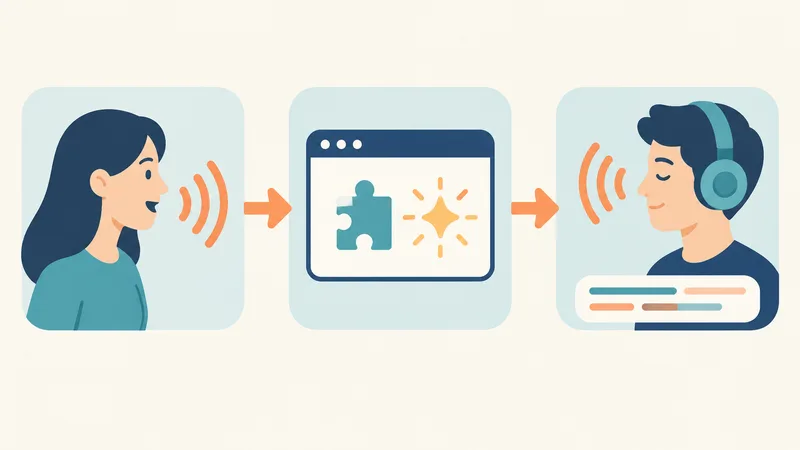
If your meeting needs English ↔ Vietnamese translation (Speech Translation does not support Vietnamese yet), or you are on a free Gmail account and need live Vietnamese/English translation, an extension that processes audio in your browser is the practical route. NoteMeeting Voice Translator runs inside your Google Meet tab as a Chrome extension. No bot joins the call, so nobody sees an extra participant.
What it does differently
Real-time voice translation between English and Vietnamese, in both directions (this is the only supported pair). The translation is read out in a natural TTS voice.
Bilingual captions in the meeting if you would rather read than listen.
Works with any Google account. Personal Gmail or any Workspace edition, because translation happens in your browser rather than in Meet's settings.
Something to keep afterwards. NoteMeeting also produces a live transcript and an AI summary with decisions and action items, which neither of Meet's translation features provides.
Also on Zoom (web) and Microsoft Teams, so the same setup covers calls outside Google.
Voice Translator is included in the Pro plan ($22/month, 40 hours of audio, unlimited Voice Translator) and the Teams plan (400 Voice Translator minutes/month). The free trial includes 1 hour of audio for transcription and summaries; Voice Translator itself requires Pro or Teams. Plan details are on the pricing page.
How to use it in a Meet call
Install the NoteMeeting extension from the Chrome Web Store. New to extensions? See how to install Chrome extensions.
Sign in to NoteMeeting, then start or join your Google Meet call as usual.
Open the NoteMeeting panel in the Meet tab and choose the language pair, for example English and Vietnamese.
Turn on Voice Translator.
Choose whether the other side hears the translated voice or reads captions, then carry on with the meeting.
For a broader look at how voice translation works across apps and devices, read what is a voice translator. Other extensions such as JotMe and Akkadu also add translation to Meet, mostly focused on caption languages. If note-taking matters more than translation, compare Google Meet note-taking extensions.
Which Google Meet translation option should you use?
| Situation | Best option |
|---|---|
| You are on Business Standard or higher and just need to follow a speaker in another language | Translated captions, already included in your plan |
| Your team speaks English and Spanish, French, German, Portuguese, Italian or Hindi, on an eligible plan | Gemini Speech Translation |
| Sales or support calls with Vietnamese-speaking customers who should hear you in Vietnamese (or you hear them in English) | NoteMeeting Voice Translator |
| Recruiters interviewing Vietnamese-speaking candidates who need notes for the hiring panel | NoteMeeting: translation during the interview plus transcript and summary after |
| Teachers or students on personal Gmail accounts | Free captions to follow along; an extension if you need actual translation |
Tips for more accurate translation in meetings
Wear a headset with a mic. Laptop speakers feed the translated audio and room noise back into the microphone, and every tool translates worse.
Speak in shorter sentences. Real-time translation waits for the end of a sentence. Long, multi-clause sentences come out garbled.
Set the source language correctly. For translated captions, a wrong "Language of the meeting" breaks everything.
Paste names and jargon into chat first. Product names, project codes and people's names are where AI translation fails most often.
Let the translation finish before you reply. Google itself recommends waiting until the translation indicator on the speaker's tile disappears.
Check your connection. An unstable network delays or drops translated sentences, especially spoken ones.

How to keep a record of a translated meeting
This is the biggest gap in Meet's built-in translation. Translated captions leave no text file, and Speech Translation is not captured in recordings. Meet's own transcripts work in only eight languages (English, French, German, Italian, Japanese, Korean, Portuguese and Spanish), and Take notes for me has similar language limits. A meeting held partly in Vietnamese, Chinese or Thai gets no native transcript at all.
The simple workaround is a transcription tool running alongside the call. NoteMeeting transcribes in real time, even when you are not the host, and lets you export the transcript or send a summary to the team. If you also switch between platforms, our Google Meet vs Zoom comparison covers how each one handles captions and translation, and our Zoom translation guide walks through Zoom's own options.
FAQ
Can Google Meet translate in real time?
Yes. Translated captions show live subtitles in about 70 languages, and Gemini Speech Translation speaks the translation aloud with a few seconds of delay. Both require a paid Workspace edition or Google AI plan.
Is Google Meet translation free?
No. Same-language captions are free for everyone, but translated captions need Workspace Business Standard, Business Plus, Enterprise Standard, Enterprise Plus or Google AI Pro for Education. Speech Translation needs Google AI Pro or Ultra or an eligible Workspace edition. Personal Gmail accounts get neither.
What languages does Google Meet translate?
Translated captions cover about 70 languages, including Spanish, French, Chinese, Japanese, Korean, Hindi, Arabic and Vietnamese. Speech Translation currently supports English paired with Spanish, French, German, Portuguese, Italian and Hindi; the 70+ language Gemini 3.5 upgrade is in private preview.
Why don't I see translated captions in Google Meet?
Usually your account is not on an eligible edition, or the feature has not rolled out to it yet. On a work account, ask your admin. On personal Gmail, the option will not appear, so you need an extension.
Can other participants see my translated captions?
No. Captions and translated captions are turned on per person. Each participant chooses their own language on their own device. Captions only appear in a recording if whoever records selects Record captions.
Does Google Meet translation work on mobile?
Translated captions work in the Android and iOS Meet apps on eligible accounts, under Settings > Captions. Speech Translation began rolling out to the mobile apps in April 2026, but Google's Help Center still lists phones as unsupported for having your own speech translated, so test before an important call.
If you regularly meet Vietnamese-speaking clients or colleagues, try NoteMeeting free with a 1-hour trial to transcribe and summarize your next Google Meet call, then move to Pro when you need live English ↔ Vietnamese voice translation.