
Want to read a podcast episode, quote it, or find one line without listening to the whole thing? You can often get a transcript for free in a few taps, because Apple Podcasts, Spotify, and YouTube now show transcripts for many shows. When they don't, you can generate one from the audio with an AI tool or hire a human transcriptionist. This guide covers all seven methods, how to tell viewing from downloading, and how to check a transcript before you quote it.
Table of contents
- Key takeaways
- The fastest way to get a podcast transcript
- What is a podcast transcript? (vs. captions and show notes)
- Method 1: Check the show's website, show notes, and RSS feed
- Method 2: View the transcript in Apple Podcasts
- Method 3: Find the transcript on Spotify
- Method 4: Open the transcript on YouTube
- Method 5: Upload the audio to an AI transcription tool
- Method 6: Transcribe the audio while it plays
- Method 7: Hire a professional transcription service
- Which method should you use?
- Check accuracy before you quote
- How to copy, download, and use a podcast transcript
- For podcasters: add transcripts to your own show
- FAQ
- How can I get a podcast transcript for free?
- Can I get a transcript of any podcast?
- Can I download a transcript from Spotify?
- Why isn't the transcript showing in Apple Podcasts?
- Can I copy text from an Apple Podcasts transcript?
- How do I find a specific quote in a podcast?
- How long does it take to transcribe a podcast?
- Conclusion
Key takeaways
Check what already exists first: the show's website, Apple Podcasts (iOS 17.4+ and Mac), the transcript card in Spotify's Now Playing view, or YouTube's "Show transcript."
Viewing is not downloading. Apple lets listeners copy up to 200 words at a time; Spotify and Apple don't offer listeners a full transcript download.
Need an editable file? Upload the audio (or paste the episode link) into an AI transcription tool and export TXT, DOCX, SRT, or VTT.
Before quoting, verify names, numbers, negations, and speaker attribution against the audio.
The fastest way to get a podcast transcript
Look in the app you're listening in, the show's official website, or its YouTube channel. If there's nothing, get the episode audio you're allowed to use and run it through an AI transcription tool. Before quoting, check names, figures, and key sentences against the original audio.
Find an existing transcript → Generate one with AI if needed → Verify and export.
What is a podcast transcript? (vs. captions and show notes)
A podcast transcript is the written text of everything said in an episode, often with timestamps and speaker labels.
| Type | What it's for |
|---|---|
| Transcript | Full text of what was said, for reading, searching, and quoting. |
| Captions | Text synced to audio or video (SRT/VTT), sometimes including sound descriptions. |
| Show notes | An episode summary with links and resources. Not a transcript. |
Show notes and AI summaries don't replace a full transcript. If you want a summary, start from the transcript and use a transcript summarizer.
Method 1: Check the show's website, show notes, and RSS feed
Open the podcast's official website and find the episode by title or number.
Look for Transcript, Full Transcript, or Episode Transcript, and check links in the show notes.
Use your browser's find (
Ctrl + F/Cmd + F) to jump to the phrase you need.Click Download if the site offers a file.
Two search queries that often surface hidden transcript pages:
"[podcast name]" "[episode title]" transcript
site:officialdomain.com transcript "[episode title]"
Check the RSS feed. Many hosts publish transcripts through the Podcasting 2.0 <podcast:transcript> tag, which is also how Apple Podcasts can pick up creator-provided transcripts. Open the show's RSS feed (search its name on a directory such as Listen Notes or Podcast Index to find it) and search the episode entry for "transcript." The same entry's <enclosure> URL is the episode's audio file, which you'll need for Method 5.
Still nothing? Email the producer. Many shows have transcripts they haven't published, and accessibility, research, or press requests are commonly granted. Official sources confirm provenance, but the transcript may still be auto-generated and unedited.
Method 2: View the transcript in Apple Podcasts
According to Apple's official transcript documentation, Apple automatically generates transcripts for new episodes, and listeners can read along, search, and tap text to jump to that point in the audio.
On iPhone or iPad (iOS 17.4 or later):
Open the episode in the Podcasts app and start playing it.
Tap the transcript (speech bubble) button in the player.
Tap Search to find a word or phrase.
Tap any paragraph to play from that point.
You can also tap the More (•••) menu on the episode and choose View Transcript.
On Mac: click View Transcript in the player, or open the episode page and scroll to the Transcript section. The Mac app adds Whole Word and Match Case search options, and you can share the episode from a specific point in the transcript.
Limits to know:
Supported languages are English, Danish, Dutch, Finnish, French, German, Italian, Norwegian, Portuguese, Spanish, and Swedish.
Listeners can copy up to 200 words at a time, which are shared with an attribution link to the episode. There's no full download for listeners.
Music lyrics aren't transcribed, episodes over 10 hours may not be, and dynamically inserted ads may not show.
Each transcript is labeled "Automatically generated" or "Provided by [show]," which tells you whether the creator supplied it.
If you don't see a transcript, update iOS or macOS, then try the show's website.
Method 3: Find the transcript on Spotify
On mobile:
Play the episode and open the Now Playing view.
Scroll down to the transcript card and tap to expand it.
Or open the episode page and look for the transcript there.
On desktop: Spotify's help pages document transcripts in the mobile app; on desktop, check the Now Playing panel while the episode plays, but labels and availability may differ.
Transcripts aren't available for every show. Per Spotify for Creators, eligible creators can view, download, edit, and re-upload transcripts as VTT or SRT files, and some shows have auto-translated transcripts. That download is a creator tool; listeners don't get an export button.
Three different things: reading a transcript in the app, exporting it, and downloading the episode for offline listening. An offline download is encrypted inside the app and isn't an audio file you can upload to a transcription tool.
Method 4: Open the transcript on YouTube
Many podcasts publish full video episodes on YouTube. On a computer:
Find the episode on the show's official channel. Check the title and length so you're not looking at a clip.
Expand the description.
Click Show transcript.
Click any line to jump to that moment.
The same Show transcript button appears in the description on the mobile app. According to YouTube Help, transcripts are available on any video with captions, which may be auto-generated or uploaded by the creator. Auto-captions often lack punctuation and speaker labels, so treat them as a rough draft. Some layouts include a search box in the transcript panel; browser find only searches text that's been loaded on the page.

Summarize your meetings & videos automatically with NoteMeeting
Google Meet, Zoom, YouTube, Podcast — all in one extension.
Method 5: Upload the audio to an AI transcription tool
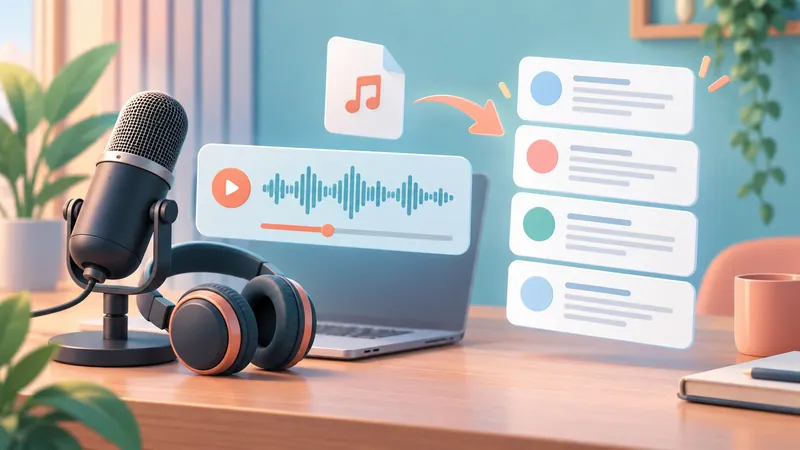
When no transcript exists, or you need an editable file, AI speech-to-text can turn the episode audio into text in minutes.
Get the audio from a source that allows it: the RSS enclosure link, the show's download button, or your own file.
Pick a tool that supports the episode's language.
Upload the MP3, M4A, or WAV file, or paste the episode URL if the tool supports links.
Set the language and turn on timestamps and speaker labels.
Run the transcription.
Listen back to key passages and correct errors.
Click Export and choose your format.
Options to consider (October 2026):
General transcription apps such as Otter.ai (free Basic plan with 300 monthly minutes, 30 minutes per conversation, and a few lifetime file imports), Descript, Happy Scribe, Notta, or Rev's AI tier. Compare them in our roundup of the best transcription software.
Podcast-specific "paste a link" tools that accept Apple, Spotify, or RSS URLs and return TXT, SRT, or VTT, usually with a small free monthly allowance. Convenient, but check their data and copyright terms.
Pre-transcribed directories such as Happy Scribe's podcast transcripts site, which hosts transcripts of many popular shows for free reading.
Test a short clip first with the same accents, names, and number of speakers as the full episode. Advertised language lists matter less than a real test. To compare tools objectively, learn how word error rate is measured.
Free plans: check minute caps, maximum file length, and export rights. Paid plans: worth it if you process episodes regularly. Before uploading anything private, read the tool's retention, deletion, and model-training policy.
Method 6: Transcribe the audio while it plays
This is a fallback when you can't get a file and recording or transcribing is permitted.
System or tab audio: use a tool that can capture it directly. This is cleanest.
Microphone next to speakers: picks up noise, echo, and room sound. Last resort.
Choose a live transcription tool that saves text (see real-time speech-to-text tools).
Select the audio source and grant permissions.
Test a few seconds to make sure it's hearing the audio.
Play the section you need.
Save and review the transcript.
Live captions usually don't save a transcript. Features like Live Caption in Chrome and Android or Live Captions in Windows 11 display text on screen but aren't built for exporting it. This method also takes roughly as long as the episode itself.
Method 7: Hire a professional transcription service
Choose a human service when the audio is hard to hear, there are many overlapping speakers, or the text must be publication-ready. Rev, for example, lists human transcription at $1.99 per audio minute with turnaround of 12 hours or less (October 2026), so a 60-minute episode costs about $120. Before you order, confirm:
Language and subject-matter expertise.
Price, surcharges, and turnaround.
Timestamps, speaker labels, and file formats.
Confidentiality and the correction process.
A hybrid approach often works best: an AI draft plus human review, with an agreed scope of what gets checked. If you need a certified or legal transcript, confirm that standard separately; ordinary services don't meet it by default.
Which method should you use?
Decide by the output you need: just reading or an editable file.
| Your goal | Try first | Cost | Note |
|---|---|---|---|
| Read along or find a quote | Apple Podcasts, Spotify, or YouTube | Free | Depends on the show and language; limited copying. |
| Get the creator's own version | Show website or RSS feed | Free | Show notes may only be a summary. |
| Editable, exportable file | AI transcription tool | Free tier to ~$20/mo | Check export rights and data policy. |
| No audio file available | Live transcription while playing | Free to low | Must capture the right audio source. |
| Publication-quality text | Human service | ~$1.50-$3 per minute | Agree on review scope. |
No method guarantees a perfect transcript.
Check accuracy before you quote
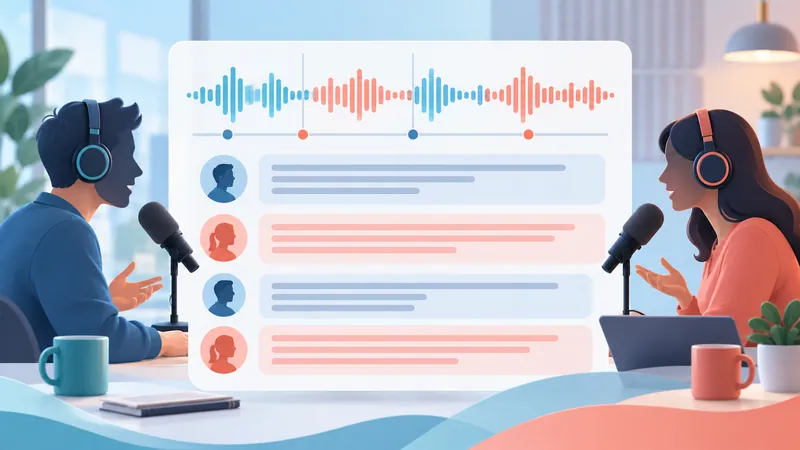
Re-listen to names, places, and jargon.
Check numbers, units, and negations.
Confirm who is speaking.
Match each quote to its timestamp and surrounding context.
Mark unclear passages as [inaudible] instead of guessing.
One dropped "not" can reverse a sentence's meaning. If you publish a full transcript, listen through the whole thing. Cleaning up punctuation for readability is fine; changing words inside a direct quote is not. The same checks apply when you transcribe interviews.
How to copy, download, and use a podcast transcript
View means reading it in an app. Copy means taking text where the app allows it. Download means getting a file through a Download or Export option.
Pick the format for the job:
TXT / DOCX: notes, editing, and research.
PDF: sharing a fixed-layout copy.
SRT / VTT: timecoded captions; check sync against the audio or video. These are also the formats Apple Podcasts Connect and Spotify for Creators accept.
Access doesn't equal the right to republish. When quoting, credit the show, episode, link, and timestamp. Short quotes for commentary or research may fall under fair use in the US, but reposting a full transcript generally needs the owner's permission; attribution alone doesn't replace it.
For podcasters: add transcripts to your own show
If you're the creator, publishing transcripts improves accessibility, search visibility, and quote-ability.
Apple Podcasts: Apple auto-generates transcripts, or you can supply your own through the RSS transcript tag or by uploading VTT/SRT files in Apple Podcasts Connect.
Spotify: in Spotify for Creators (desktop), go to the episode, open Transcript, then view, download, edit, and re-upload a VTT or SRT file (with timestamps so it syncs).
Your website: post the cleaned transcript on the episode page, ideally with speaker labels and timestamps.
FAQ
How can I get a podcast transcript for free?
Check Apple Podcasts, Spotify, YouTube, and the show's website first; they're free. If none has one, use the free tier of an AI transcription tool and check its minute limits and export options.
Can I get a transcript of any podcast?
Not always. Generating your own depends on having access to the audio, permission to process it, audio quality, language, and tool support.
Can I download a transcript from Spotify?
Not as a listener. You can read along in the app, but only the show's creator can download the VTT/SRT file in Spotify for Creators. Check the show's website, or transcribe the audio yourself if permitted.
Why isn't the transcript showing in Apple Podcasts?
The episode may not have one yet, the language may be unsupported, or your device may need iOS 17.4 or later. Update your software, then look for another source.
Can I copy text from an Apple Podcasts transcript?
Yes, up to 200 words at a time. The copied text includes an attribution link back to the episode.
How do I find a specific quote in a podcast?
Search a distinctive phrase in the transcript, jump to the nearest timestamp, and listen to confirm. If the app has no search, use a legitimately provided text version or transcribe the episode.
How long does it take to transcribe a podcast?
AI tools typically process an hour of audio in a few minutes. Human services commonly quote same-day to 24-hour turnaround. Live transcription takes as long as the episode plays.
Conclusion
Open the episode and look for an existing transcript first: Apple Podcasts, Spotify, YouTube, or the show's site. If there isn't one, test an AI tool on a short clip you're allowed to process, check the quality, then run the full episode. For anything you'll publish or quote, have a person verify it against the audio. And if you need transcripts from meetings rather than podcasts, see our guide to meeting transcripts.